

Bulb Mode in photography allows you to keep your camera’s shutter open for as long as you need, giving you control over exposures that last longer than the camera’s standard shutter-speed settings. It is especially useful for photographing star trails, fireworks, light trails, lightning, and other scenes that require extended exposure times.
Most cameras offer shutter speeds of up to 30 seconds. But what happens when 30 seconds is not enough to capture the scene you want? This is where Bulb Mode becomes useful.
1. What Is Bulb Mode in Photography?
Bulb Mode is a camera setting that allows you to control how long the shutter remains open. Unlike a regular shutter-speed setting, which closes the shutter automatically after a predetermined time, Bulb Mode lets you decide when the exposure ends.
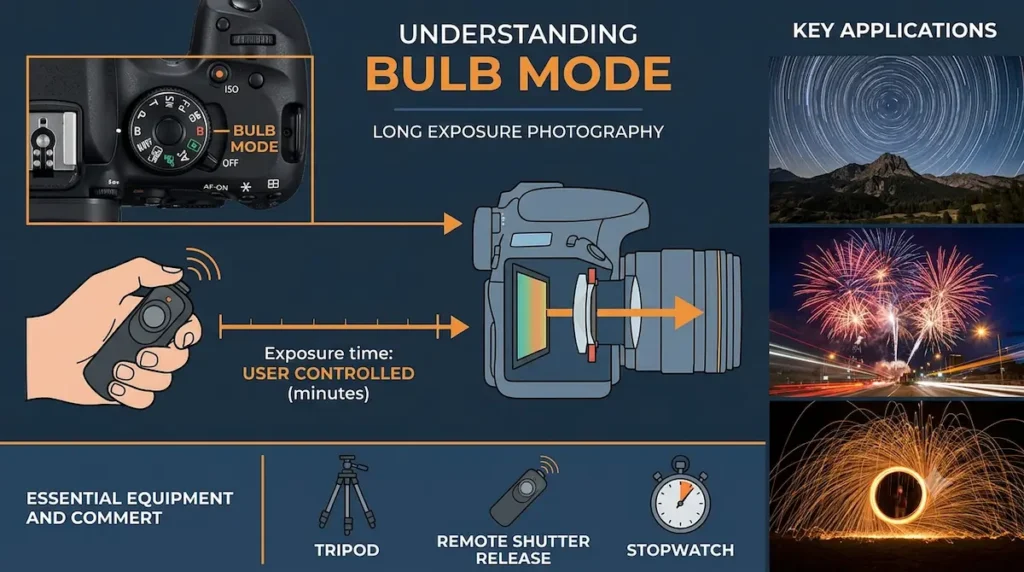
On many cameras, the shutter remains open while you hold down the shutter button. On other cameras, the exposure can be started and stopped with separate presses, a remote release, or a compatible smartphone app.
The name comes from the traditional pneumatic bulb1 used to operate some early camera shutters.
Example
Suppose you want to photograph a waterfall at night and find that a 30-second exposure is not long enough to achieve the effect you want.
With Bulb Mode, you can keep the shutter open for 45 seconds, 90 seconds, or several minutes, depending on the scene and your camera’s capabilities.
The longer exposure allows more light to reach the sensor and can create a smoother appearance in moving water.
Important: Bulb Mode does not automatically make a photograph brighter or better. The result depends on exposure time, aperture, ISO, available light, and the movement within the scene.
2. How Does Bulb Mode Work?
A camera controls exposure using three main settings:
- Shutter speed: Determines how long light reaches the sensor.
- Aperture: Controls how much light passes through the lens.
- ISO: Controls the sensor’s amplification or sensitivity setting, affecting image brightness and noise.
In Bulb Mode, you control the duration of the exposure directly.
For example, consider these two photographs taken with the same aperture and ISO:
| Setting | Photograph A | Photograph B |
|---|---|---|
| Shooting mode | Bulb | Bulb |
| Aperture | f/8 | f/8 |
| ISO | 100 | 100 |
| Exposure time | 30 seconds | 60 seconds |
| Relative light captured | 1× | 2× |
Photograph B receives approximately twice as much light because the shutter stays open twice as long. This represents a one-stop increase in exposure, assuming the scene’s lighting remains constant.
However, moving subjects may look different. For example, moving car lights will create longer trails during the 60-second exposure.
3. When Should You Use Bulb Mode?
Bulb Mode is most useful when you need a shutter speed longer than your camera’s normal timed exposure settings or want precise control over exposure duration.
A. Photographing Star Trails
Star trail photography records the apparent movement of stars across the sky as Earth rotates.
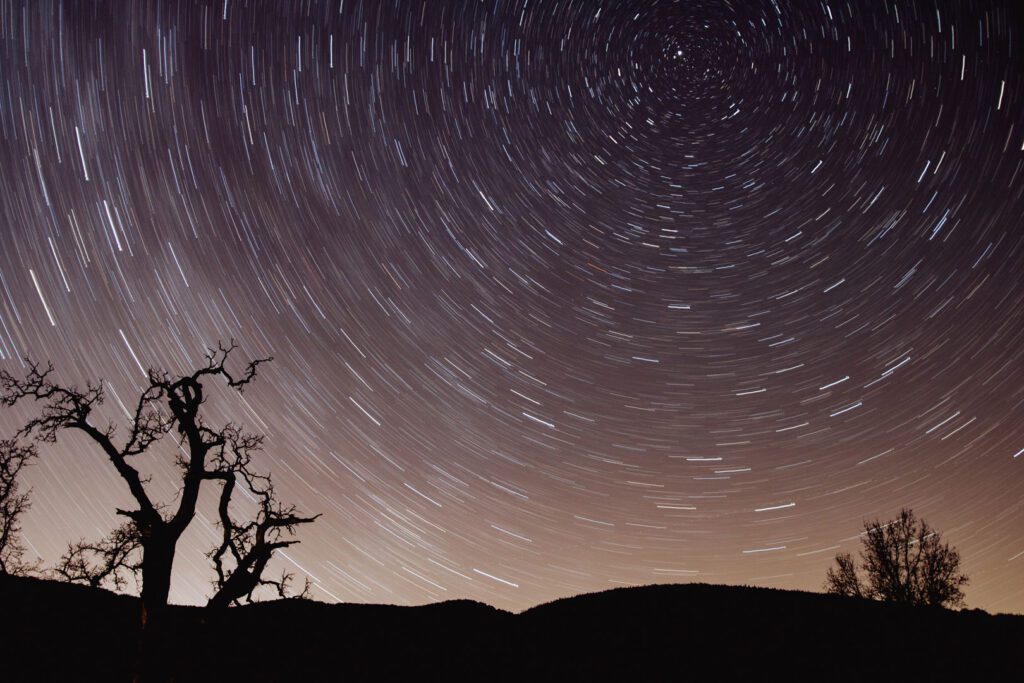
A long exposure can produce curved or circular trails around the celestial pole.
Example settings:
- Aperture: f/2.8
- ISO: 200
- Exposure time: 5–10 minutes
- Focus: Manual focus set carefully on a bright star or distant light
- Equipment: Sturdy tripod and remote shutter release
These settings are starting points, not universal values. The appropriate exposure depends on sky brightness, lens speed, focal length, and your desired trail length.
For cleaner results, many photographers capture multiple shorter exposures and combine them using star-trail software. This approach reduces the risk of losing an entire sequence to a single failed exposure and offers greater flexibility.
B. Photographing Light Trails from Vehicles
When vehicles move through a scene, their headlights and taillights can form bright lines across the frame.
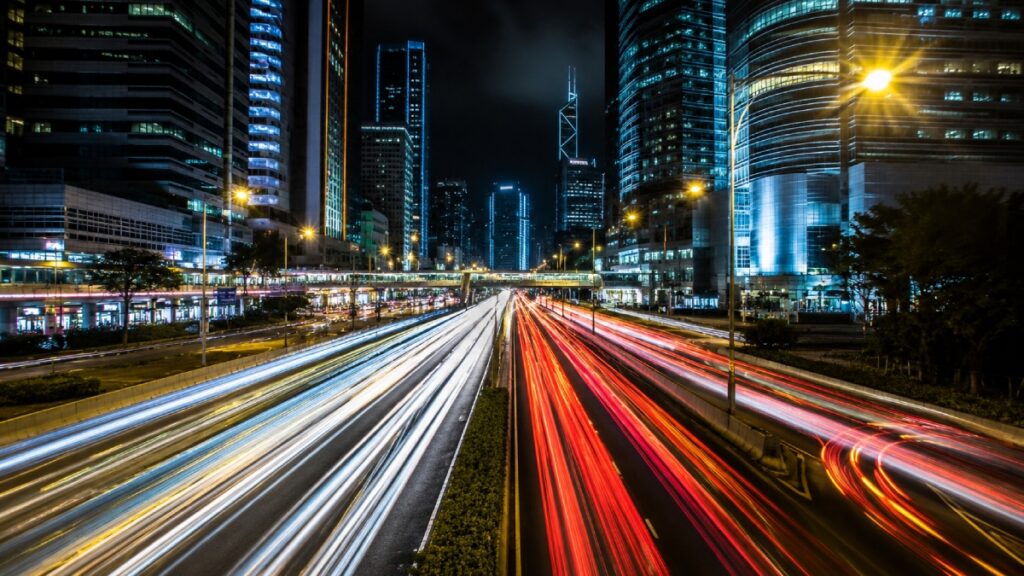
Bulb Mode is helpful when you want to control the exposure around the traffic flow rather than use a fixed shutter speed.
Example settings:
- Aperture: f/8
- ISO: 100
- Exposure time: 45 seconds
- Focus: Manual focus
- Equipment: Tripod and remote shutter release
Choose a location where traffic moves steadily and the light trails create an interesting composition.
If the trails appear too bright, shorten the exposure, reduce ISO, or use a smaller aperture. If the scene is too dark, increase exposure time or adjust the other exposure settings.
C. Photographing Fireworks
Fireworks create bright bursts of light against a dark background. Bulb Mode lets you start the exposure before a burst and end it after the desired trails appear.
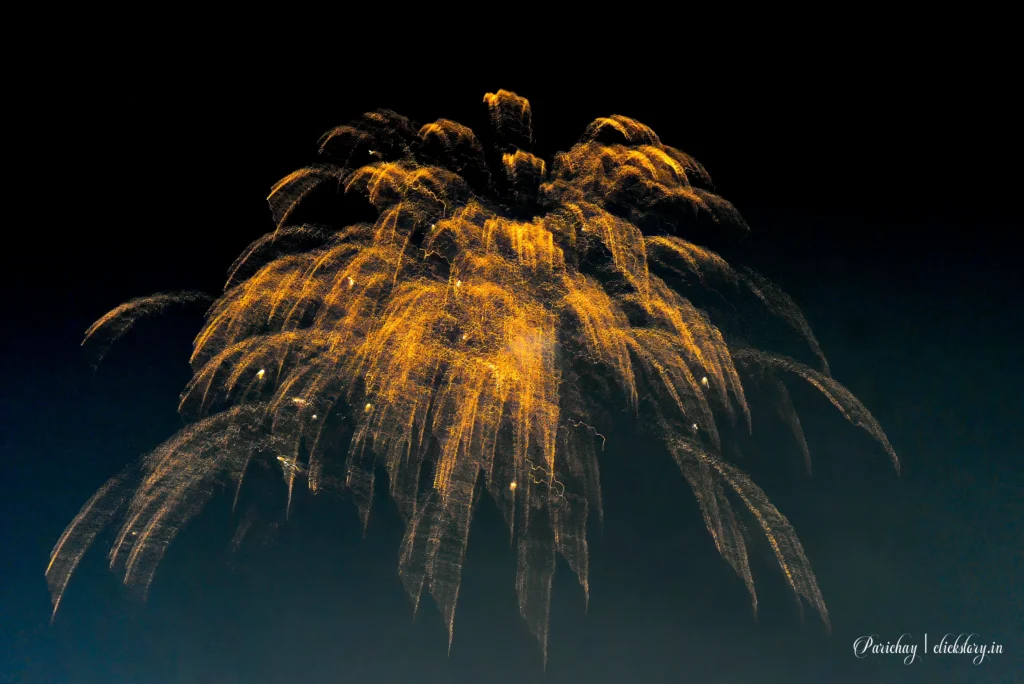
Example settings:
- Aperture: f/8
- ISO: 100
- Exposure time: Approximately 2–8 seconds per burst
- Focus: Manual focus
- Equipment: Tripod and remote shutter release
Start the exposure shortly before the fireworks burst, then close the shutter after the trails have developed.
You do not necessarily need Bulb Mode for fireworks because ordinary shutter speeds can often handle them. Bulb Mode is particularly useful when you want to include multiple bursts in one exposure or time the exposure manually.
Avoid keeping the shutter open too long when several bright bursts overlap, as this can produce overexposed highlights.
D. Photographing Lightning
Lightning photography is challenging because the exact moment of a strike is difficult to predict.
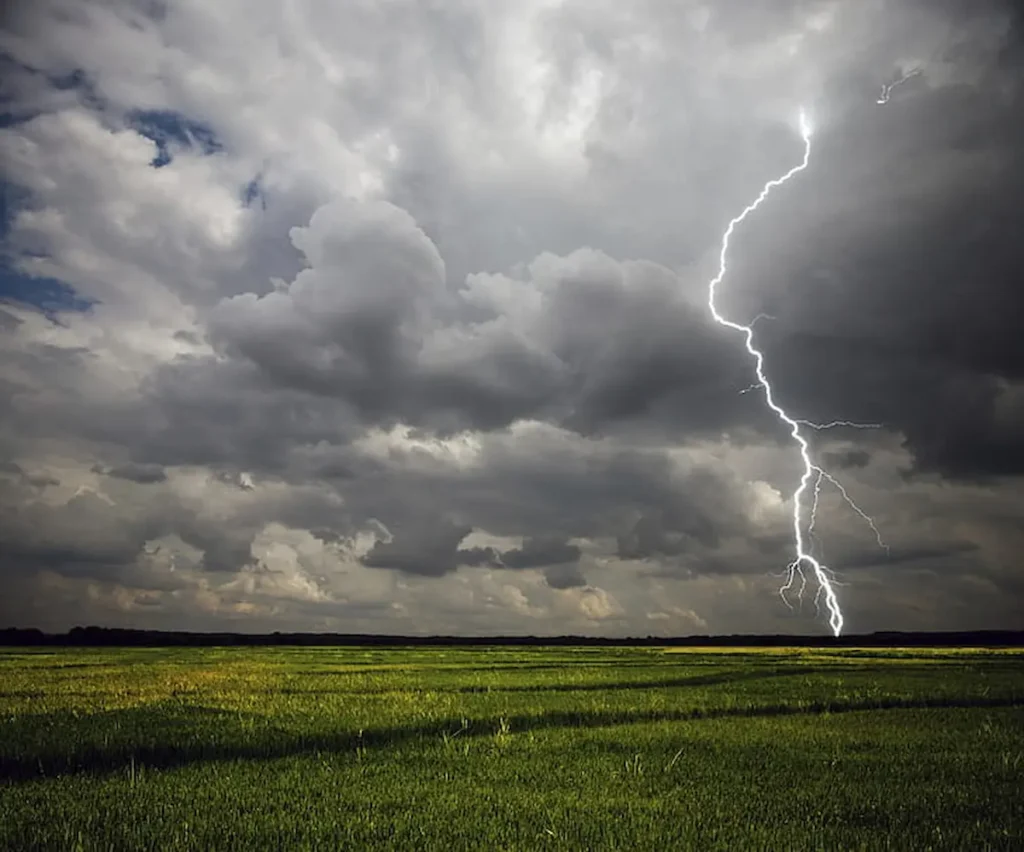
Bulb Mode allows you to keep the shutter open while waiting for lightning to appear, increasing the opportunity to capture a strike during the exposure.
Example settings:
- Aperture: f/8
- ISO: 100
- Exposure time: 10–30 seconds, or longer if conditions permit
- Focus: Manual focus
- Equipment: Tripod and remote shutter release
Choose an exposure duration that balances the brightness of the scene with the likelihood of capturing lightning.
If the lightning is very bright, use a smaller aperture or lower ISO to help preserve detail. In daylight, a dedicated lightning trigger or neutral-density filter may be more practical than a very long exposure.
Safety note: Photograph lightning from a substantial, secure shelter, such as an enclosed building or hard-topped vehicle. A tripod does not provide protection from lightning, and you should not remain outdoors to obtain a photograph.
E. Photographing Waterfalls and Rivers
Long exposures can transform moving water into a smooth, flowing texture while stationary rocks and surrounding landscapes remain relatively sharp.
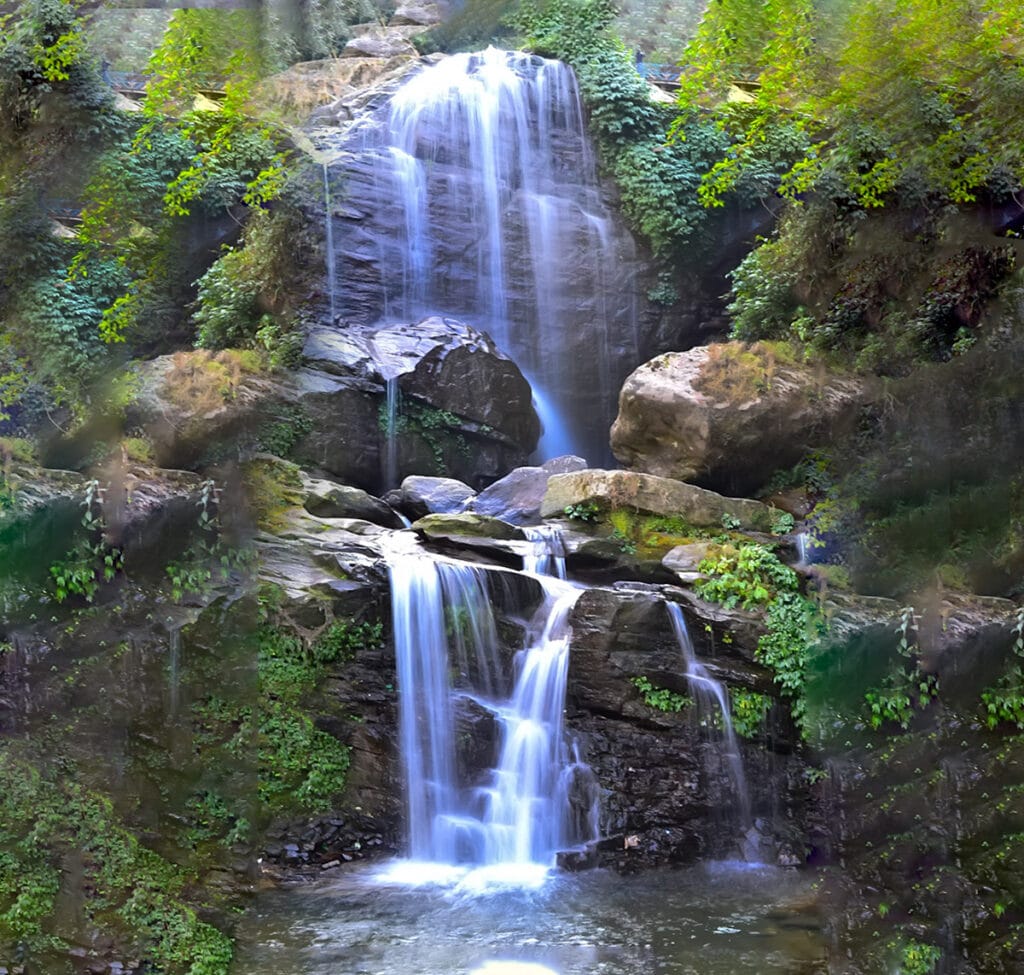
Bulb Mode can help when you want exposure times longer than your camera’s standard settings allow.
Example settings:
- Aperture: f/11
- ISO: 100
- Exposure time: 45–90 seconds
- Equipment: Tripod and remote shutter release
- Optional accessory: Neutral-density filter
The final appearance depends on water speed and exposure duration. A one-second exposure may preserve visible water texture, while a 60-second exposure can make the water look much smoother.
In daylight, a neutral-density filter may be necessary to prevent overexposure during such long exposures.
4. How to Use Bulb Mode Step by Step
The exact controls differ between camera brands and models, but the general procedure is similar.
Step 1: Set Your Camera to Manual Mode
Turn the mode dial to M (Manual) or select the appropriate manual exposure controls.
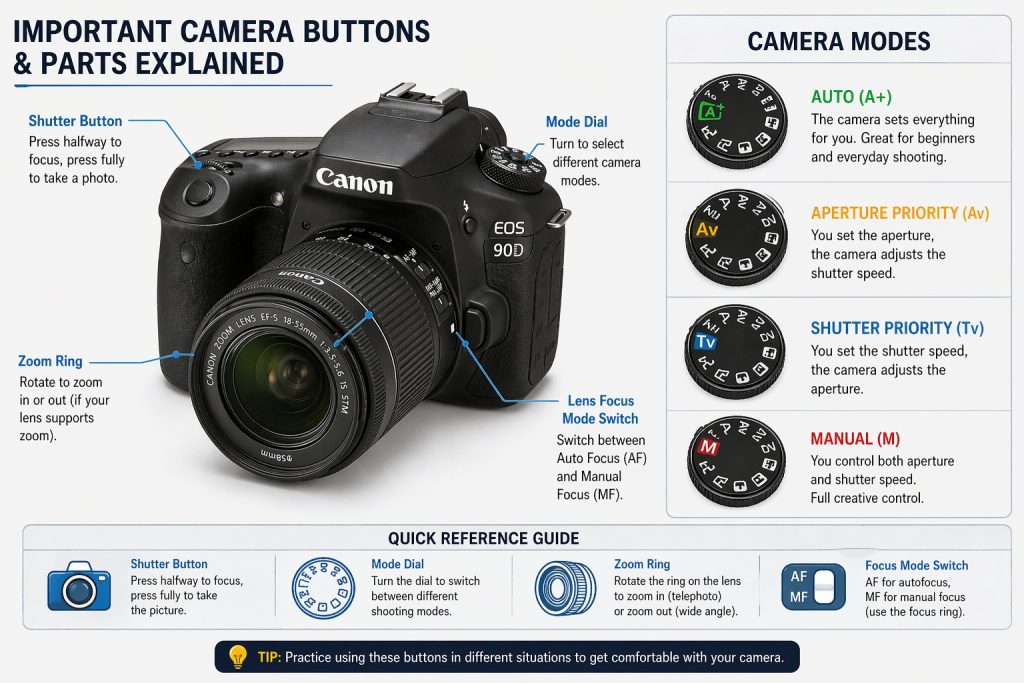
On many cameras, Bulb Mode becomes available when you scroll beyond the slowest standard shutter speed, often 30 seconds. Some cameras offer a separate Bulb option.
Check your camera manual if you cannot find it.
Step 2: Select Your Aperture
Choose an aperture based on your subject and the depth of field you need.
For example:
- f/2.8 for gathering more light in a dark scene.
- f/5.6 for a balance between light and depth of field.
- f/8 or f/11 for landscapes with greater depth of field, depending on the lens and focus distance.
Remember that smaller apertures, such as f/11, allow less light through the lens than larger apertures, such as f/2.8.
Step 3: Set the ISO
Start with a low ISO, such as ISO 100, when the scene and aperture permit it.
A low ISO can help reduce visible noise and preserve highlight detail, although the actual image quality depends on the camera and exposure conditions.
For very dark scenes, you may need a higher ISO or a wider aperture.
Step 4: Mount the Camera on a Tripod
A tripod is essential for most long-exposure photographs because even small camera movements can blur stationary objects.

Make sure the tripod is stable and avoid extending it unnecessarily in windy conditions.
Step 5: Focus Carefully
Autofocus may struggle in very dark conditions.
Focus on a suitable subject while there is enough light, then switch to manual focus if necessary. Check the result using magnified live view when available.
Avoid accidentally moving the focus ring after setting focus.
Step 6: Use a Remote Shutter Release
A remote release allows you to start and stop the exposure without touching the camera.
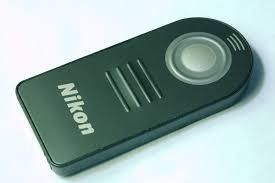
Depending on the camera, you may also be able to use a compatible smartphone app, cable release, or built-in timer control.
This helps minimize camera shake, particularly when the exposure begins or ends.
Step 7: Start and End the Exposure
Activate Bulb Mode and begin the exposure.
Keep the shutter open for the intended duration, then stop the exposure using the control supported by your camera.
Some cameras require you to hold the shutter button down. Others use one press to start and another to stop.
Step 8: Review the Photograph
Check the image for:
- Overexposed highlights.
- Excessively dark shadows.
- Camera shake.
- Unwanted movement in stationary subjects.
- Excessive noise or color shifts.
Adjust the exposure time, aperture, ISO, or filtration as needed, and take another photograph.
5. Practical Bulb Mode Examples
The following examples show how Bulb Mode can be applied in different situations.
| Photography situation | Starting settings | What to adjust |
|---|---|---|
| Star trails | f/2.8, ISO 200, 5 minutes | Exposure duration and sky brightness |
| Vehicle light trails | f/8, ISO 100, 45 seconds | Duration and highlight brightness |
| Fireworks | f/8, ISO 100, 2–8 seconds | Timing and number of bursts |
| Lightning at night | f/8, ISO 100, 15 seconds | Duration and lightning brightness |
| Waterfall in daylight | f/11, ISO 100, 60 seconds | Neutral-density filtration and water movement |
| Night cityscape | f/8, ISO 100, 60 seconds | Exposure duration and moving elements |
These are illustrative starting points. You should adjust the settings according to the lighting, equipment, subject movement, and creative effect you want.
6. Bulb Mode vs. Time Mode
Some cameras offer both Bulb Mode and Time Mode. Although their names and controls can vary by manufacturer, they generally provide different ways to control long exposures.
| Feature | Bulb Mode | Time Mode |
|---|---|---|
| Basic operation | Often requires holding the shutter button or using a start/stop remote | Often starts with one press and ends with another |
| Exposure duration | User-controlled | User-controlled |
| Camera touch during exposure | Depends on the release method | Often avoidable after starting |
| Best use | Long exposures with a compatible remote release | Long exposures where separate start and stop presses are convenient |
The precise operation depends on the camera. Some models use different terminology or provide electronic shutter controls that work differently from traditional Bulb Mode.
Neither mode automatically improves image quality. Their main advantage is allowing you to control exposures beyond the camera’s usual timed shutter speeds.
7. Common Mistakes to Avoid When Using Bulb Mode
Mistake 1: Holding the Shutter Button by Hand
Touching the camera can introduce vibration, particularly at the beginning or end of a long exposure.
Solution: Use a remote shutter release, a compatible wireless controller, or a supported self-timer method.
Mistake 2: Using an Exposure That Is Too Long
Longer exposure times are not always better. Bright lights can become overexposed, moving subjects may disappear into a blur, and noise can increase.
Solution: Review your images and adjust the exposure duration to suit the subject.
Mistake 3: Ignoring Wind and Camera Movement
Wind can move the camera or tripod during a long exposure, causing blurred details.
Solution: Use a stable tripod, secure the equipment, and avoid extending the center column unnecessarily.
Mistake 4: Forgetting About Battery Life
Long exposures and extended live-view use can consume battery power. Some cameras also have exposure-duration limits or automatically end an exposure under certain conditions.
Solution: Start with a fully charged battery and check your camera’s maximum exposure duration before an important shoot.
Mistake 5: Ignoring Noise and Heat
Long exposures can introduce image noise, and some cameras may become warm during extended use.
Solution: Use appropriate ISO settings, enable long-exposure noise reduction if needed, and allow the camera to cool between demanding exposures when appropriate. Keep in mind that long-exposure noise reduction may take as long as the original exposure, reducing shooting time.
Mistake 6: Forgetting About Ambient Light
Even a dark scene may contain streetlights, illuminated buildings, or other bright sources that build up during a long exposure.
Solution: Test the exposure and watch for highlight clipping. Consider changing your composition or using a shorter exposure.
8. Do You Always Need Bulb Mode for Long Exposures?
No. Bulb Mode is not necessary for every long-exposure photograph.
If your camera can provide the shutter speed you need, ordinary manual shutter-speed settings are usually sufficient.
For example, a 10-second exposure can be selected directly on most cameras without entering Bulb Mode. Even a 30-second exposure may be available as a standard shutter-speed setting.
Bulb Mode becomes useful when you need an exposure longer than the camera’s available timed settings, want to control the duration manually, or need to time an exposure around an unpredictable event.
Some cameras also offer timed long-exposure features that allow you to enter a specific duration without manually stopping the exposure.
Final Thoughts
Bulb Mode is a valuable tool for photographers who want greater control over long exposures. It makes it possible to photograph star trails, vehicle light trails, fireworks, lightning, waterfalls, and night landscapes with exposure times beyond the camera’s standard shutter-speed range.
To get started, mount your camera on a tripod, choose a low ISO when appropriate, select an aperture that suits your subject, and use a remote release to minimize camera shake. Begin with a manageable exposure duration, review the photograph, and adjust the settings based on the result.
Most importantly, remember that Bulb Mode gives you control over exposure duration, not a guarantee of a better image. Learning how light, movement, and exposure time interact will help you use it more effectively and creatively.
- A pneumatic bulb (also called an insufflation bulb or squeeze bulb) is a flexible rubber or silicone hand pump used to generate controlled puffs of air or pressure. ↩︎
