

Have you ever tried photographing someone outdoors around noon, only to discover dark shadows under their eyes, an overly bright forehead, squinting eyes, and washed-out skin tones?
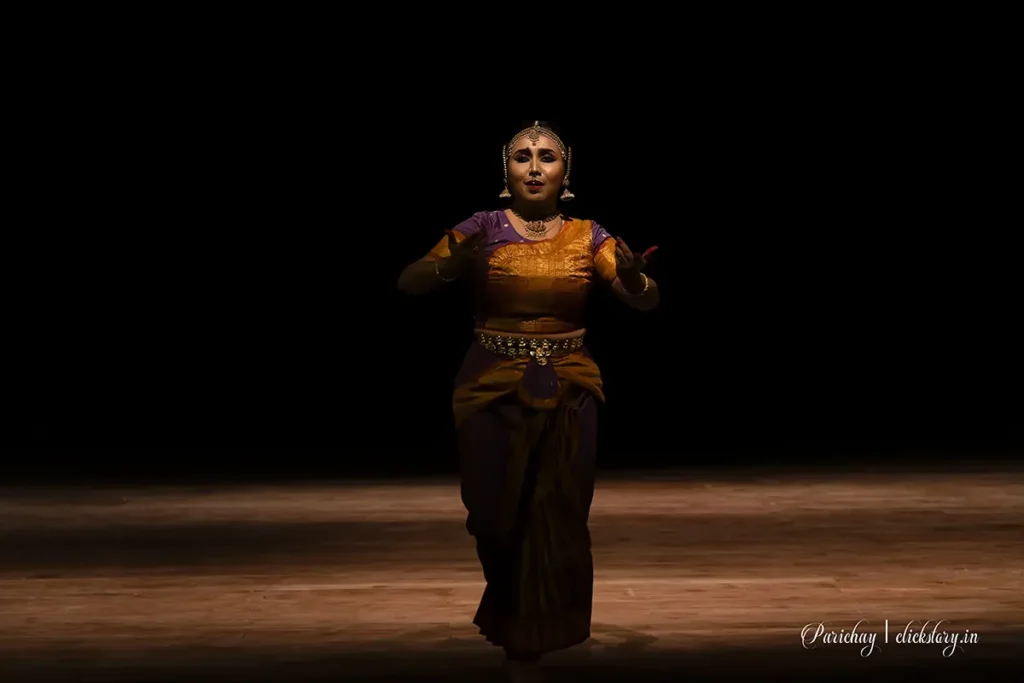
You are not alone. Harsh midday sunlight is one of the most challenging lighting conditions for portrait photography. Unlike the soft, flattering light available during the golden hour, the midday sun shines from a high angle and produces strong highlights, deep shadows, and high contrast. [Note: In on-stage dance photography when a poorly positioned top light is used without supporting wash lighting, the result can be harsh shadows, uneven exposure, and a photograph that is barely worth keeping. It is similar to photograph dance in harsh midday sun.]
But here is the good news: you do not need to wait for sunset to take beautiful portraits. With the right techniques, you can photograph people in harsh sunlight and create images that look natural, dramatic, professional, or even cinematic.
In this guide, we will explore practical ways to photograph people in bright midday sunlight, including camera settings, real-world examples, and techniques you can try with your own camera.
1. Understand Why Midday Sun Is Difficult for Portraits
Before learning how to manage harsh sunlight, it helps to understand what makes it challenging.
Around midday, the sun is relatively high in the sky. Its direct light creates several problems:
Imagine photographing a friend standing in an open field at noon. The top of the face receives direct sunlight, while the eye sockets remain in shadow. Even if the overall exposure looks correct, the face may still appear unpleasant.
The solution is not always to change your camera settings. Often, changing the direction or quality of the light produces a much bigger improvement than adjusting exposure alone.
2. Look for Open Shade
One of the easiest ways to photograph people in harsh midday sunlight is to move them into open shade.
Open shade is an area protected from direct sunlight but still illuminated by light from the open sky. You can find it under a building overhang, beside a wall, beneath a large tree, or in the shadow of a tall structure.
Example: Photographing a friend under a building overhang
Suppose you want to take a portrait of your friend on a sunny afternoon.
If your friend stands directly in the sun, the face may have hard shadows and uncomfortable highlights. Instead, position your friend just inside the shade of a building, facing toward the open sky.
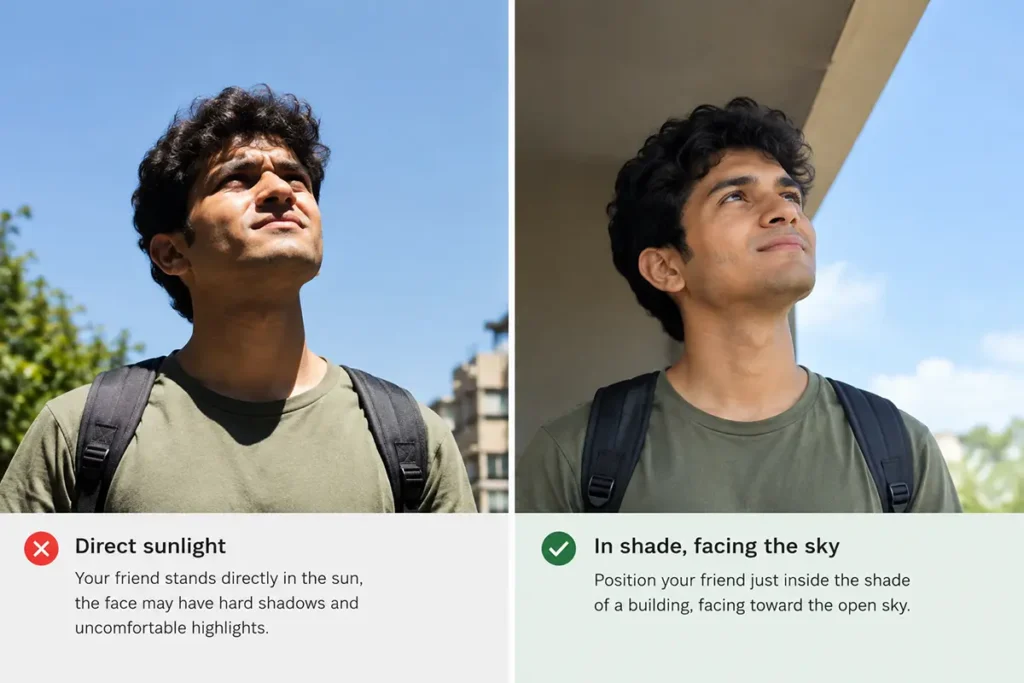
The light falling on the face becomes more even, and your subject may find it easier to keep their eyes open.
Try these camera settings:
- Mode: Aperture Priority (A/Av) or Manual
- Aperture: f/2.8–f/4 for a soft background, or f/5.6 for more depth of field
- Shutter speed: At least 1/250 second for a relatively still subject
- ISO: 100–400, depending on the available light
- White balance: Auto or Daylight
These are starting points, not fixed rules. Check your exposure and histogram, and adjust the settings according to the scene.
A common mistake
Do not place your subject deep beneath a tree where almost no light reaches the face.
The result may look dull or excessively dark. Instead, position the subject near the edge of the shade, with their face turned toward the brighter open sky.
Best for: Natural portraits, family photography, street portraits, travel photography, and beginner photographers.
3. Position the Sun Behind Your Subject
Another effective technique is to use the sun as a backlight.
Instead of allowing sunlight to strike the face directly, position your subject with the sun behind them. This can create a bright outline around the hair and shoulders while keeping direct sunlight out of the subject’s eyes.

Example: A portrait in a sunny park
Imagine photographing someone standing in a park at noon.
Place the person between you and the sun, with the sun behind their head or slightly to one side. Expose for the person’s face rather than allowing the camera to make the entire scene equally bright.
The result can feature glowing hair, a luminous background, and a more flattering face.
Suggested settings:
- Aperture: f/2.8–f/4
- Shutter speed: 1/1000 second or faster in strong sunlight, if needed
- ISO: 100
- Metering: Evaluative/matrix metering, followed by exposure compensation or manual adjustment
- Focus: Single-point AF or face/eye detection
If the face appears too dark, use positive exposure compensation or adjust the exposure manually.
Be careful not to increase exposure so much that the bright background loses all detail.
Should you use a lens hood?
Yes. A lens hood can help reduce unwanted flare when bright sunlight enters the lens from the front or side. You can also use your hand, positioned outside the frame, to shade the lens.
Backlighting works especially well for romantic portraits, environmental portraits, and photographs where you want a glowing atmosphere.
4. Use a Reflector to Fill Facial Shadows
Sometimes, you cannot move your subject into shade or change the direction of the sun. In that case, a reflector can help.
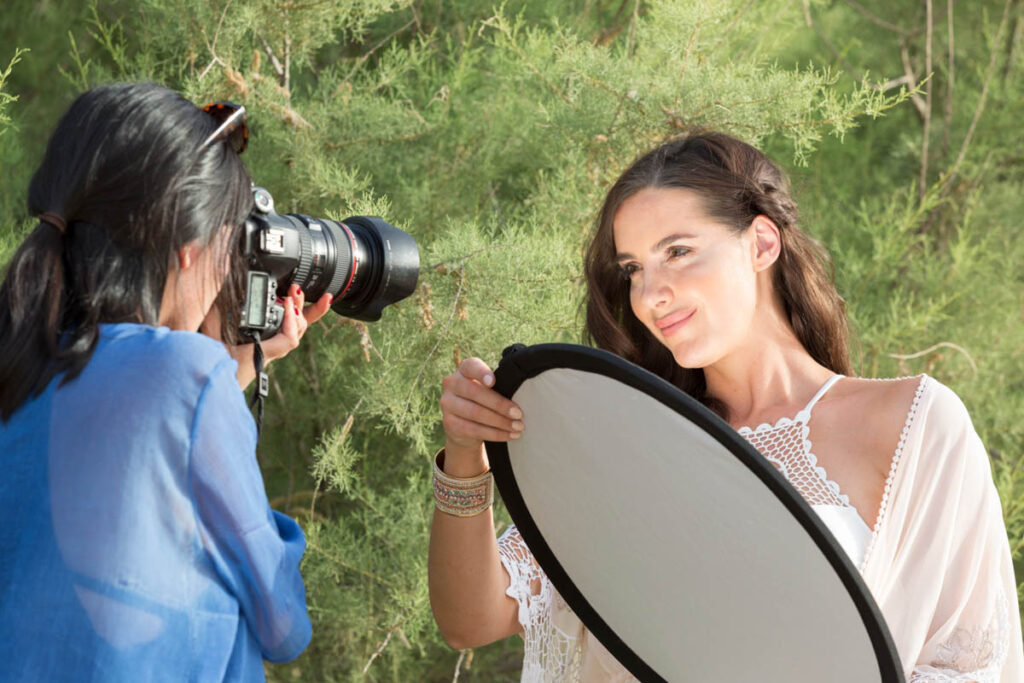
A reflector bounces available light back onto the subject’s face, brightening dark areas under the eyes, nose, and chin.
Common reflector surfaces include:
- White: Produces soft, natural-looking fill light.
- Silver: Reflects more light and provides stronger fill.
- Gold: Produces a warmer color cast, which may look unnatural in some situations.
- Translucent diffuser: Softens direct sunlight rather than reflecting it.

Example: Photographing a person in an open courtyard
Suppose you are photographing a person standing in direct sunlight. Their forehead is bright, but their eyes and the area under the nose are dark.
Ask an assistant to hold a white reflector below the subject’s face, angled toward the sunlight. The reflected light brightens the shadows.
Start with a white reflector because its effect is usually easier to control.
Important: Avoid reflecting intense sunlight directly into the person’s eyes. Keep the reflector slightly off-axis and ask the subject if the light feels uncomfortable.
A reflector does not eliminate harsh sunlight, but it can reduce the contrast between highlights and shadows.
5. Use Fill Flash in Bright Sunlight
Many beginners assume flash is useful only in dark environments. In reality, fill flash is one of the most useful tools for outdoor portrait photography.
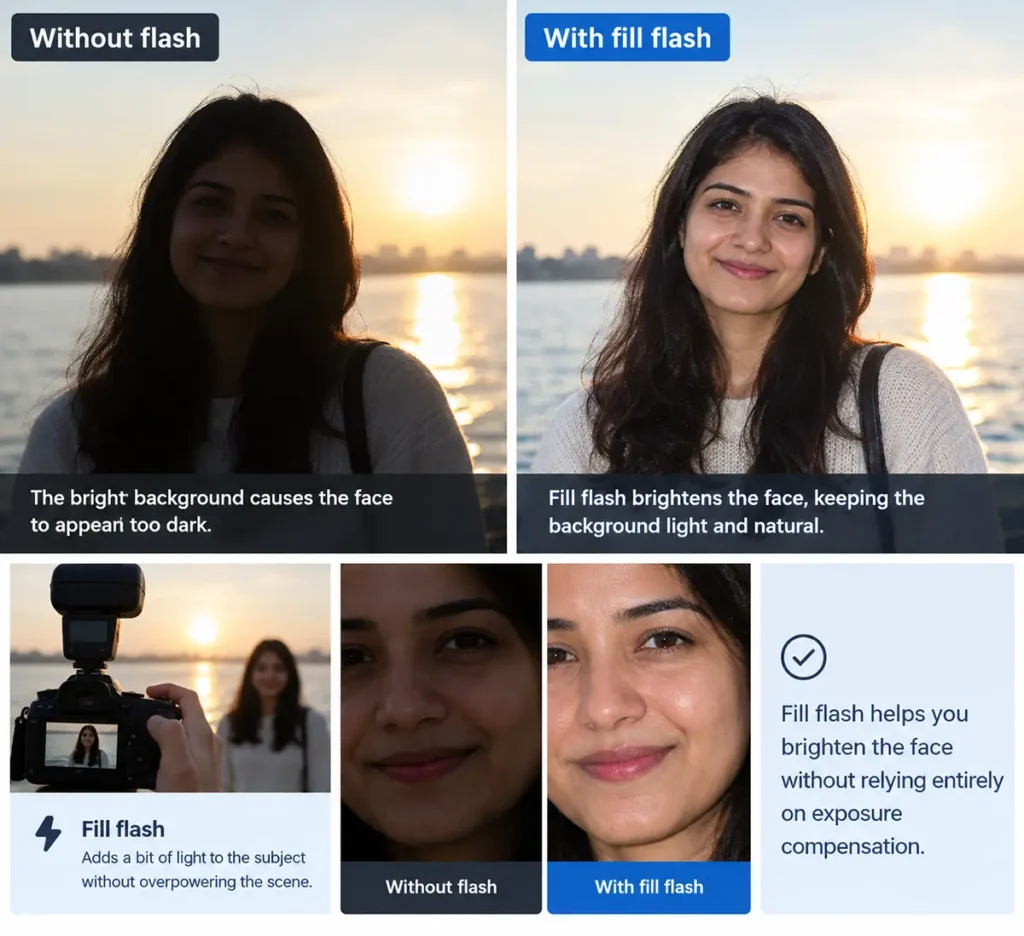
Fill flash adds light to the subject while allowing the surrounding scene to remain naturally illuminated.
Example: Photographing a person on a sunny beach
Imagine taking a photograph of someone standing on a beach at noon. The sunlight creates dark shadows across their face, while the sea and sand are brightly illuminated.
Without flash, the face may appear too dark if you expose for the bright background. With fill flash, you can brighten the face without relying entirely on exposure compensation.
A useful starting point is:
- Aperture: f/5.6
- ISO: 100
- Shutter speed: 1/200 second, if within your camera’s normal flash-sync limit
- Flash power: Begin around 1/16 to 1/8 power with a nearby off-camera flash, then adjust according to distance and results
These flash-power values are starting points only. The correct output depends on your flash, distance, modifier, and ambient light.
Will fill flash make the background dark?
Not automatically.
The background becomes darker when you reduce the ambient exposure, while using flash to illuminate the subject. This is a common technique for creating a dramatic portrait.
For a natural-looking fill-flash portrait, keep the background close to its normal exposure and use flash to soften the shadows on the face.
For a more dramatic look, underexpose the ambient light slightly and increase flash output enough to expose the subject properly.
Important: At fast shutter speeds, you may exceed your camera’s normal flash-sync limit. High-speed sync (HSS), if supported by your camera and flash, can help you use faster shutter speeds, although it reduces the effective flash power.
6. Use the Exposure Triangle to Control Bright Sunlight
Understanding exposure is essential when photographing people outdoors.
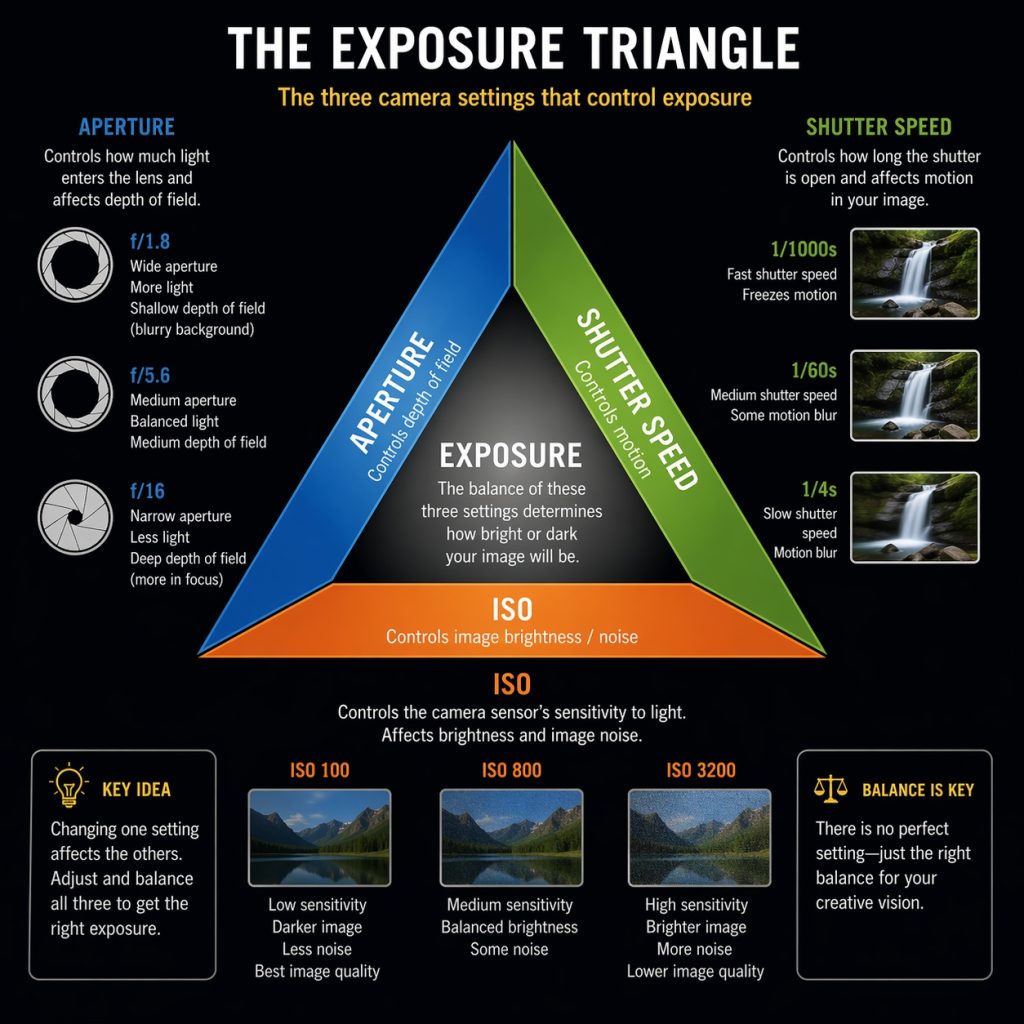
The exposure triangle consists of aperture, shutter speed, and ISO. These three settings work together to determine how bright your photograph will be.
Aperture
A wide aperture, such as f/2.8, creates a shallow depth of field and helps separate the subject from the background.
However, in direct midday sunlight, f/2.8 may allow too much light into the camera at your camera’s lowest ISO and fastest available shutter speed.
You may need a faster shutter speed, a narrower aperture, or a neutral-density filter, depending on your camera and creative goal.
Shutter speed
A fast shutter speed helps prevent motion blur and controls the amount of light reaching the sensor.
In strong sunlight, speeds such as 1/1000 second or faster may be useful, especially for active subjects.
ISO
Use the lowest practical ISO, commonly ISO 100, to preserve image quality and allow more flexibility in bright conditions.
Example: A portrait at noon
You want a shallow depth of field while photographing someone standing in direct sunlight.
Start with:
- Aperture: f/2.8
- ISO: 100
- Shutter speed: Adjust to obtain a correct exposure
If your shutter speed reaches the camera’s maximum and the image is still overexposed, close the aperture or use an appropriate neutral-density filter.
Do not assume that changing ISO alone will solve every exposure problem. The goal is to balance the settings while maintaining the look you want.
7. Use Exposure Compensation When Shooting in Aperture Priority
A camera’s automatic exposure system does not always understand which part of a scene matters most to you.
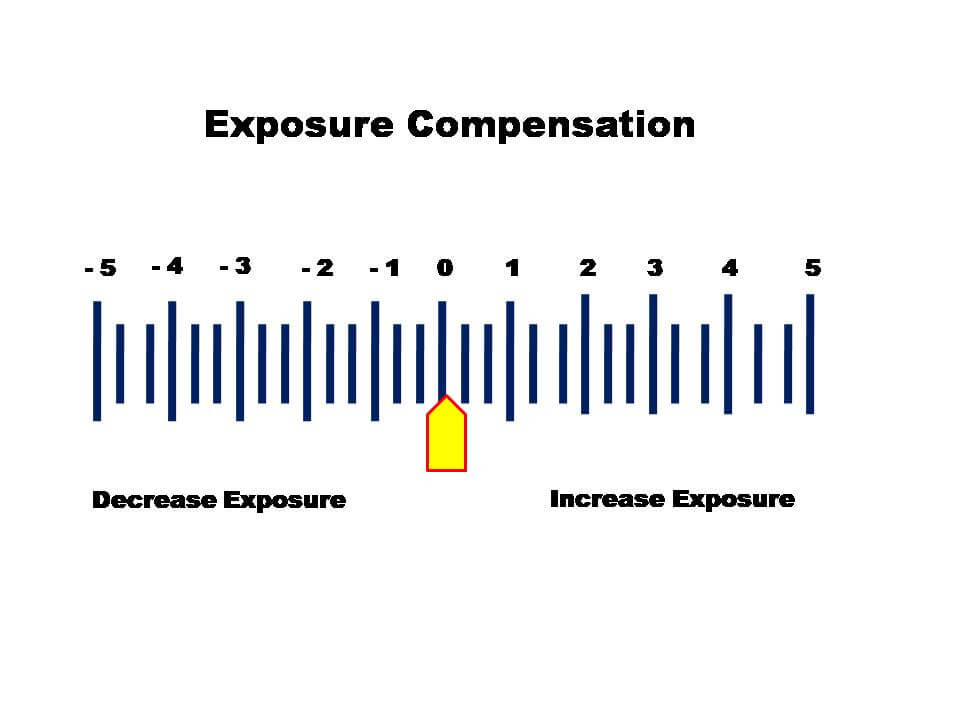
For example, when photographing a person against a bright background, the camera may produce a face that is too dark. Conversely, if the frame is dominated by dark clothing, the camera may brighten the image excessively.
Exposure compensation allows you to adjust the camera’s suggested exposure.
- Use positive compensation if the subject’s face is too dark.
- Use negative compensation if bright areas are overexposed.
- Check highlights carefully when the person has light skin or is wearing white clothing in direct sun.
Example: A person wearing white clothing
Imagine photographing someone in a white shirt in a bright courtyard.
If the shirt loses its texture and becomes a featureless white patch, try reducing exposure slightly. Check the face as well, because preserving the shirt’s detail should not leave the person’s face too dark.
If your camera offers a highlight warning or histogram, use it to identify areas that may be overexposed.
Remember: Exposure compensation changes the camera’s automatic exposure recommendation. It does not fix the underlying direction or harshness of the sunlight.
8. Find Better Angles and Avoid Unflattering Shadows
Sometimes, the best solution is simply to move yourself or your subject.
Midday sunlight comes from a high angle, so the shadows around the eyes and nose change noticeably when the subject turns their face.
Try photographing the person from slightly different angles. Ask them to turn their face toward a brighter area of the sky or rotate their body so that the light falls more evenly across their features.
Example: A street portrait
You are photographing a person on a city street at noon.
Instead of asking them to face the sun, position them near a bright wall that reflects daylight. Have them turn slightly toward the reflected light, and photograph them from a few different angles.
You may discover that a small change in head position makes the eyes brighter and reduces the appearance of harsh shadows.
Watch for shadows created by trees, railings, and buildings. A patch of sunlight falling across the eyes can be distracting, even when the overall exposure is correct.
Practical tip: Take three or four test frames while changing only the subject’s angle. Compare the shadows and catchlights in the eyes.
9. Use Harsh Sunlight Creatively
Harsh sunlight is not always a problem. Sometimes, it is exactly the kind of light you need.
Strong sunlight can produce bold shadows, graphic patterns, vivid colors, and dramatic contrast. Rather than trying to soften every shadow, use the light to support the mood of your photograph.
Example 1: A dramatic black-and-white portrait
Place your subject in direct sunlight beside a plain wall. Position them so the light illuminates one side of the face while the other side falls into shadow.
Expose carefully for the highlights, and convert the photograph to black and white if that supports your intended look.
The resulting image may have a strong, dramatic character.
Example 2: A silhouette portrait
Position the subject against a bright sky or another luminous background. Expose for the background and allow the person to become very dark.
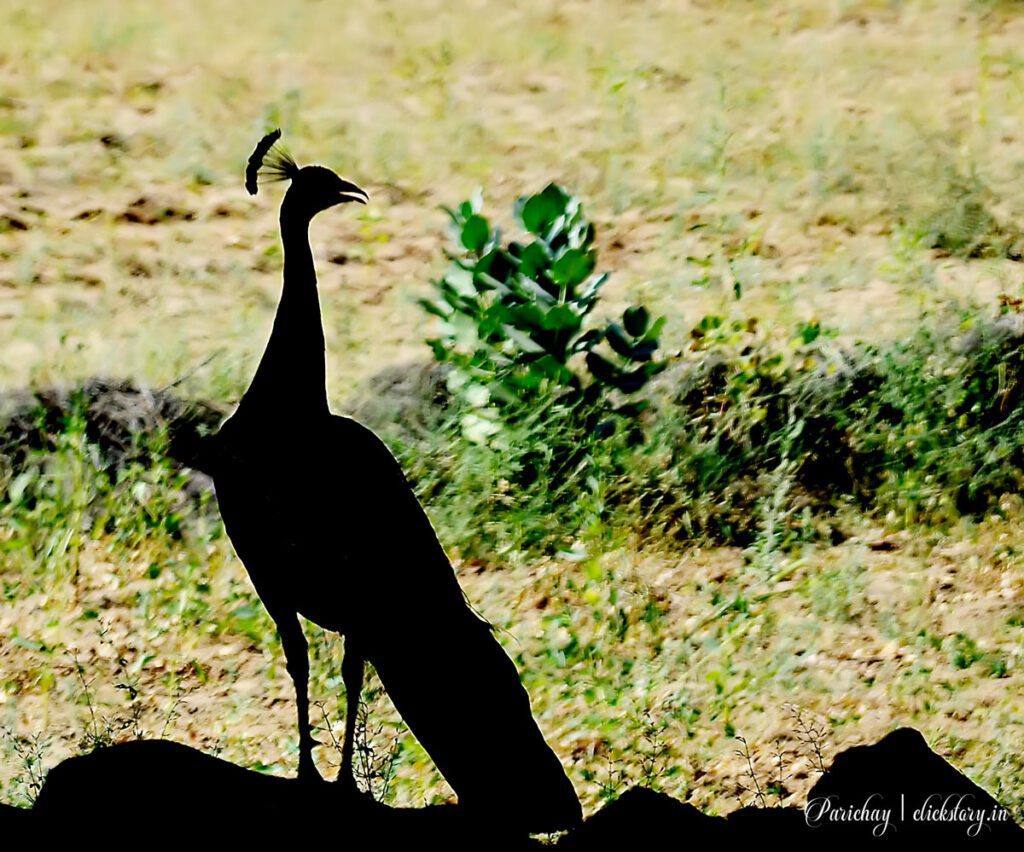
The result can emphasize body language, posture, and shape rather than facial details.
Example 3: Graphic shadows
Look for railings, window frames, tree branches, or architectural structures that cast interesting shadows.
Place your subject where the shadow pattern creates a deliberate composition. Make sure the pattern does not accidentally cut across the eyes or obscure important facial features.
These techniques work especially well for fashion photography, street photography, conceptual portraits, and editorial images.
10. Protect Skin Highlights and Check Your Histogram
One of the biggest challenges in harsh sunlight is preserving detail in bright areas of the face.
If highlights become completely overexposed, some of their texture and color information may be impossible to recover during editing.
After taking a photograph, review the image on your camera’s LCD screen. If possible, enable the highlight warning, sometimes called blinkies, and examine the histogram.
A histogram shows how the image’s brightness values are distributed. The right side represents bright tones, and the left side represents dark tones.
If important highlights are pushed beyond the right edge, reduce exposure and take another photograph.
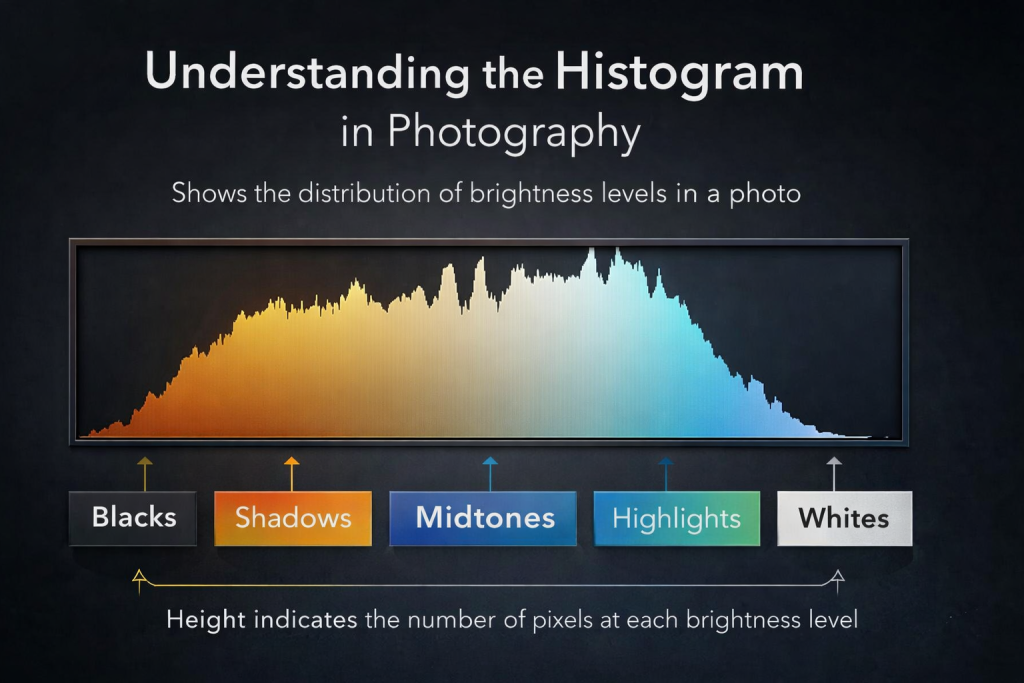
However, do not try to eliminate every bright highlight. Small specular highlights on the skin are normal, and a sunlit background may legitimately contain very bright areas.
The objective is to preserve important detail, not to make every part of the photograph equally bright.
11. Choose the Right White Balance
Harsh sunlight can produce different color effects depending on the surroundings.
Direct sunlight often looks relatively neutral, while shade illuminated by the blue sky can appear cooler. Nearby walls, grass, and other surfaces may introduce additional color casts.
You can use Auto White Balance for convenience, or choose Daylight for consistency across a series of photographs.
If you photograph in RAW format, you will generally have more flexibility to adjust white balance during post-processing.
Example: A portrait under a tree
You photograph a person under a tree on a bright afternoon. Their face appears slightly blue compared with photographs taken in direct sunlight.
This may happen because the face is illuminated mainly by blue skylight rather than direct sunlight.
Try adjusting white balance during RAW processing, checking the skin tones against the surrounding environment.
Avoid making the skin excessively orange simply to remove every trace of coolness. A natural result is usually more convincing than an aggressively warmed image.
12. Common Mistakes to Avoid
Here are some mistakes to watch for when photographing people in midday sunlight.
Mistake 1: Asking the subject to look directly into the sun.
This often causes squinting and discomfort. Use open shade, backlighting, or a different face angle instead.
Mistake 2: Using a very wide aperture without checking exposure.
In bright conditions, the image may be overexposed if your camera cannot use a sufficiently fast shutter speed. Check your exposure limits before shooting.
Mistake 3: Assuming fill flash always produces a natural result.
Flash that is too powerful can make the face look unnaturally bright. Begin with a low output and adjust it according to the ambient exposure.
Mistake 4: Ignoring the background.
A good portrait can be weakened by distracting bright objects, messy shadows, or unwanted people in the background. Move your position or change the framing.
Mistake 5: Trying to repair every lighting problem in editing.
RAW processing can recover some highlight and shadow detail, but it cannot fully replace detail that was never recorded. Whenever possible, improve the light before taking the photograph.
Mistake 6: Making every midday portrait look soft and flat.
Strong sunlight can be beautiful when used deliberately. Dramatic contrast is a creative choice, not necessarily a technical failure.
13. Practical Exercises: Try These Techniques Yourself
You can learn a great deal about harsh sunlight by taking the same portrait in several different lighting conditions.
Exercise 1: Direct sunlight versus open shade
Photograph the same person in direct sunlight and then in open shade.
Keep the camera position and composition as similar as possible. Compare the shadows around the eyes, the forehead highlights, and the overall contrast.
Exercise 2: Backlighting
Position the sun behind your subject and take a photograph with the face properly exposed.
Then take another image with the exposure reduced slightly. Compare the atmosphere and background detail.
Exercise 3: Reflector versus no reflector
Take one portrait without a reflector. Then ask someone to hold a white reflector below and slightly to one side of the face.
Compare the brightness of the shadows and the naturalness of the skin tones.
Exercise 4: Fill flash
Take a portrait in direct sunlight without flash, then take another with fill flash.
Adjust the flash output until the face looks naturally illuminated. If the flash is too strong, reduce its power rather than immediately changing every camera setting.
Exercise 5: Creative shadows
Find a wall, railing, or tree that produces an interesting shadow pattern. Photograph your subject using that pattern as part of the composition.
The goal is to discover when harsh sunlight should be softened and when it should be used creatively.
Quick Settings Cheat Sheet: Photographing People in Harsh Midday Sun
Not sure which camera settings to use when photographing people in bright midday sunlight? Use this cheat sheet as a starting point, then adjust your exposure according to the light and the look you want.
| Photography Situation | Aperture | ISO | Shutter Speed | Key Tip |
|---|---|---|---|---|
| Direct sunlight portraits | f/4–f/5.6 | 100 | 1/500–1/2000 sec | Watch for harsh facial shadows |
| Open shade portraits | f/2.8–f/4 | 100–400 | 1/250 sec or faster | Face the subject toward open sky |
| Backlit portraits | f/2.8–f/4 | 100 | 1/500–1/2000 sec | Expose for the face |
| Reflector portraits | f/2.8–f/5.6 | 100–200 | 1/250 sec or faster | Bounce soft light into shadows |
| Fill-flash portraits | f/4–f/5.6 | 100 | At or below normal flash-sync speed | Balance flash with ambient light |
| Moving subjects outdoors | f/2.8–f/5.6 | 100–400 | 1/1000 sec or faster | Prioritize freezing motion |
| Dramatic, high-contrast portraits | f/4–f/8 | 100 | Adjust for desired exposure | Preserve important highlights |
| Silhouette portraits | f/5.6–f/8 | 100 | Meter for the bright background | Let the subject become dark |
These settings are starting points, not universal rules. Actual exposure depends on sunlight intensity, lens, camera, subject movement, and the brightness of the background.
Three quick rules to remember
- For softer portraits: Move your subject into open shade.
- For glowing hair and a bright background: Place the sun behind your subject and expose for the face.
- For brighter facial shadows in direct sun: Use a reflector or fill flash.
Before pressing the shutter
- Check that the subject’s eyes are not hidden in deep shadows.
- Make sure important highlights retain detail.
- Use the lowest practical ISO.
- Check your shutter speed for motion blur.
- Review the image and adjust exposure if necessary.
Beginner tip: If you remember only one technique, start with open shade. It is often the simplest way to achieve flattering outdoor portraits without additional equipment.
Smartphone portraits in midday sun | Portrait mode or Photo mode | ISO: Auto (if adjustable) | Shutter: Auto (or 1/500 sec or faster if adjustable) | Tap the face to focus, adjust exposure slightly, and use open shade when possible |
Smartphone tip: If the face looks too dark against a bright background, tap the subject’s face and raise the exposure slider slightly. If the forehead or skin becomes too bright, lower the exposure. Avoid digital zoom when possible, and use HDR if it helps preserve detail in both the face and the background.
Conclusion
Photographing people in harsh midday sun can be challenging, but it does not have to ruin your portraits.
The most effective approach is to understand the light and choose a technique that suits the scene. Use open shade when you want soft, natural-looking portraits. Try backlighting for glowing hair and a luminous background. Use reflectors or fill flash to brighten facial shadows, and learn to control exposure to preserve important highlights.
When the scene calls for a stronger look, embrace the sunlight and use its shadows to create dramatic compositions.
Most importantly, remember that good portrait photography is not about avoiding harsh sunlight at all costs. It is about learning how to control it, work around it, or use it creatively.
Take your camera outdoors on a sunny afternoon and experiment with these techniques. With practice, you will become much more confident photographing people in almost any lighting condition.
