

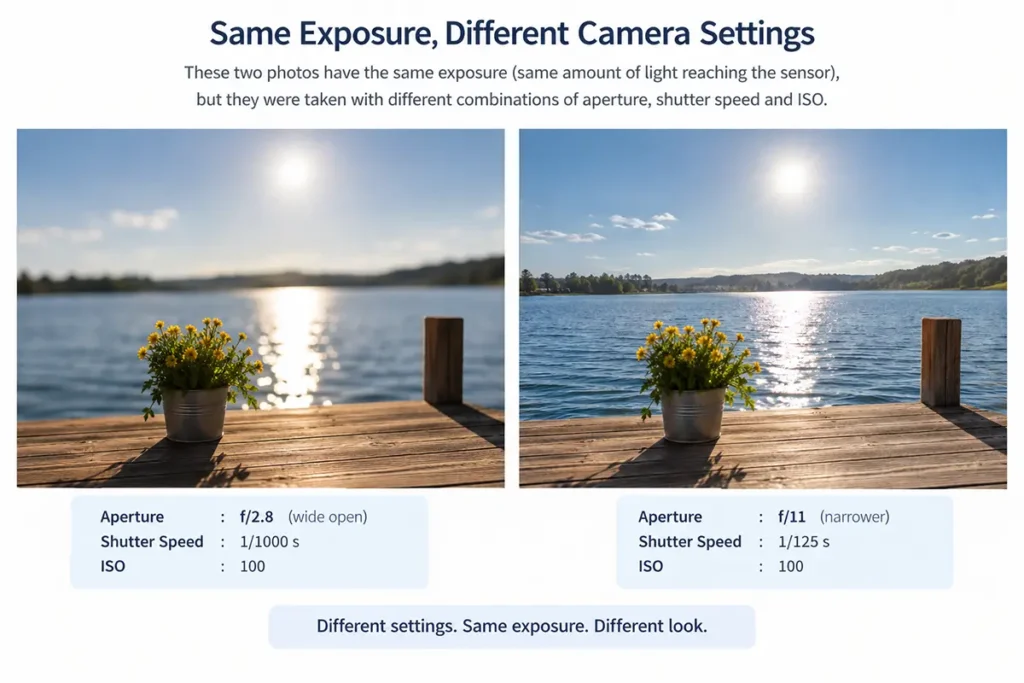
Equivalent exposure in photography helps you understand how different combinations of aperture, shutter speed, and ISO can produce images with similar brightness while affecting depth of field, motion blur, and image quality.
For example, a photograph taken at f/4, 1/250 sec, ISO 100 can have approximately the same brightness as one taken at f/5.6, 1/125 sec, ISO 100.
This is called equivalent exposure. It allows you to change your camera settings to control background blur, motion, and depth of field while maintaining similar image brightness.
What Is Equivalent Exposure?
Equivalent exposure means using different combinations of aperture, shutter speed, and ISO to achieve approximately the same image brightness.
These three settings form the exposure triangle:
- Aperture: Controls how much light enters through the lens and influences depth of field.
- Shutter speed: Controls how long light reaches the sensor and influences motion blur.
- ISO: Determines how the captured signal is amplified and rendered into image brightness, affecting image quality and noise.
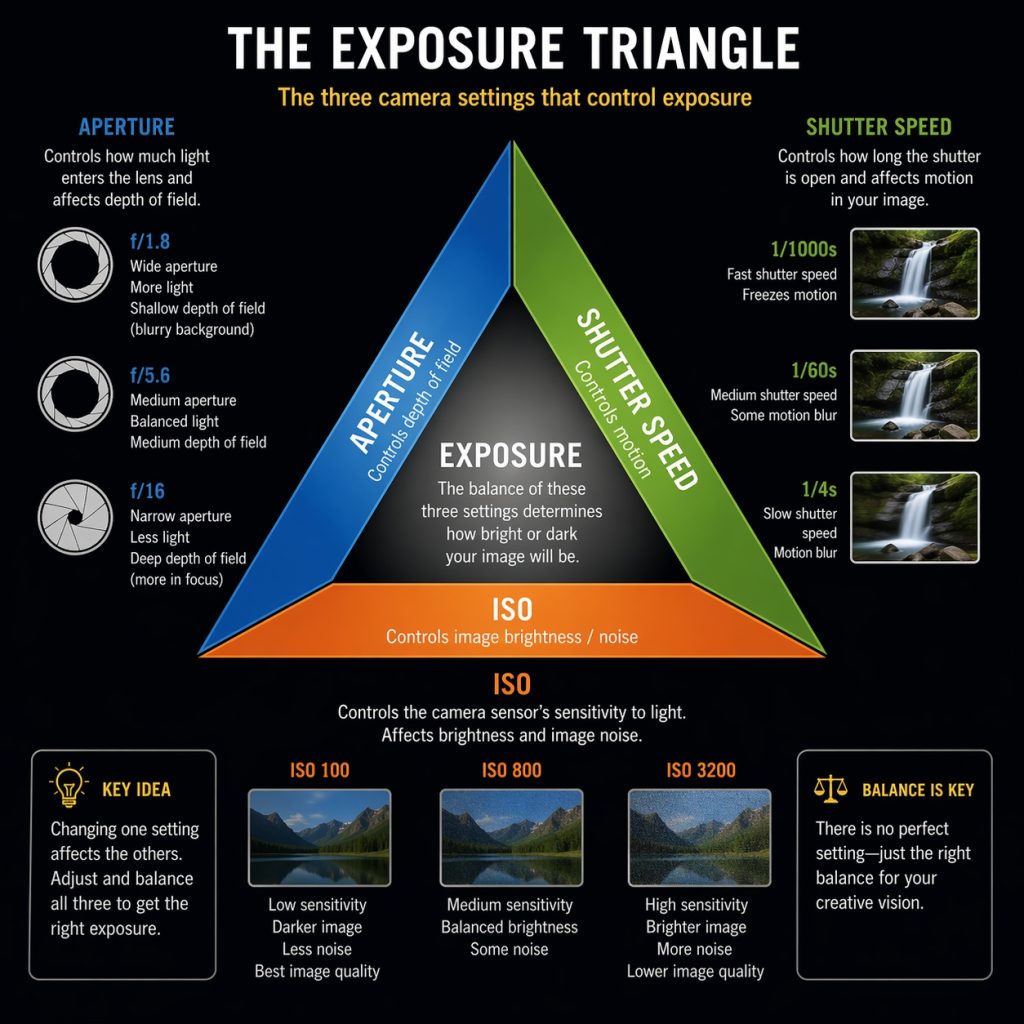
Aperture and shutter speed determine the amount of light reaching the sensor. ISO affects how that captured signal is rendered. By balancing these settings, you can maintain similar image brightness while changing the visual characteristics of a photograph.
For example, changing from f/4 at 1/250 sec to f/5.6 at 1/125 sec reduces the light entering through the aperture by one stop but doubles the exposure time. The two changes approximately cancel each other out.
Understanding Stops of Light
A stop is a unit used to describe an exposure change.
For aperture and shutter speed, a one-stop change doubles or halves the amount of light reaching the sensor. For ISO, a one-stop change doubles or halves the nominal signal amplification or rendered brightness, assuming the other settings remain unchanged.
| Setting | Change of approximately +1 stop | Change of approximately −1 stop |
|---|---|---|
| Aperture | f/8 → f/5.6 | f/8 → f/11 |
| Shutter speed | 1/250 → 1/125 sec | 1/250 → 1/500 sec |
| ISO | ISO 100 → 200 | ISO 100 → 50 |
Remember that a smaller f-number means a wider aperture, while a slower shutter speed allows light to reach the sensor for longer.
The important difference between ISO and light
Increasing ISO does not increase the number of photons captured by the sensor. It changes the amplification and processing applied to the captured signal.
Think of your camera sensor as a bucket collecting rainwater.
- Photons = raindrops: The more light enters the camera, the more photons the sensor captures.
- ISO = volume control: Increasing ISO makes the camera amplify the signal it has already captured.Itdoesn’t add more photons.
Example
Imagine you take a photo in a dark room.
- ISO 100: The camera captures a small amount of light and produces a darker image.
- ISO 1600: The camera amplifies that same small amount of light, making the image appear brighter.
Why does high ISO create noise?
Imagine trying to hear a very quiet voice. If you turn up the volume, you hear the voice more loudly,butyou also hear more background hiss.
ISO works similarly: amplifying a weak signal can make image noise more noticeable.
Remember these three things:
- Aperture: Controls how much light enters the camera.
- Shutter speed: Controls how long light enters the camera.
- ISO: Controls how strongly the captured signal is amplified and processed.
In one sentence: More light means more photons captured; higher ISO means making the captured signal look brighter, not collecting more light.
For example, compare these settings:
- f/4, 1/250 sec, ISO 100
- f/4, 1/250 sec, ISO 200
The second photograph will generally appear one stop brighter if all other factors remain the same, but the sensor receives the same amount of light.
If you want to maintain similar rendered brightness while increasing ISO from 100 to 200, you can reduce the light captured by one stop. For example, change the shutter speed from 1/250 sec to 1/500 sec while keeping aperture at f/4.
The result is:
- f/4, 1/500 sec, ISO 200
This combination has approximately the same rendered brightness as f/4, 1/250 sec, ISO 100, although image noise, highlight headroom, and other image-quality characteristics may differ.
How to balance exposure changes
To maintain approximately the same brightness, balance the changes in aperture, shutter speed, and ISO.
For example, starting at f/4, 1/250 sec, ISO 100:
- Close the aperture by one stop: f/4 → f/5.6.
- Compensate by slowing the shutter one stop: 1/250 → 1/125 sec.
The result is f/5.6, 1/125 sec, ISO 100, which provides approximately the same exposure.
Equivalent Exposure: Practical Examples
Example 1: Portrait photography
You are photographing a person outdoors and want a blurred background.
Your starting settings are:
- Aperture: f/4
- Shutter speed: 1/500 sec
- ISO: 100
Opening the aperture to f/2.8 adds one stop of light. Increase shutter speed to 1/1000 sec to compensate.
| Setting | Combination A | Combination B |
|---|---|---|
| Aperture | f/4 | f/2.8 |
| Shutter speed | 1/500 sec | 1/1000 sec |
| ISO | 100 | 100 |
| Brightness | Approximately equal | Approximately equal |
| Depth of field | Greater | Shallower |
Combination B creates a shallower depth of field and uses a faster shutter speed, which can help freeze movement.
Best for: Portraits, street photography, and subject isolation.
Example 2: Waterfall photography
You want to create smooth, flowing water using a slower shutter speed.
Your starting settings are:
f/8 · 1/250 sec · ISO 100
Changing the shutter speed to 1/30 sec adds approximately three stops of light. Close the aperture by three stops, from f/8 to f/22, to compensate.
| Setting | Combination A | Combination B |
|---|---|---|
| Aperture | f/8 | f/22 |
| Shutter speed | 1/250 sec | 1/30 sec |
| ISO | 100 | 100 |
| Brightness | Approximately equal | Approximately equal |
| Water appearance | More frozen | More blurred |
The slower shutter speed captures the water’s movement. However, f/22 may introduce diffraction, reducing fine detail. An ND filter can help you use a slower shutter speed without closing the aperture so far.
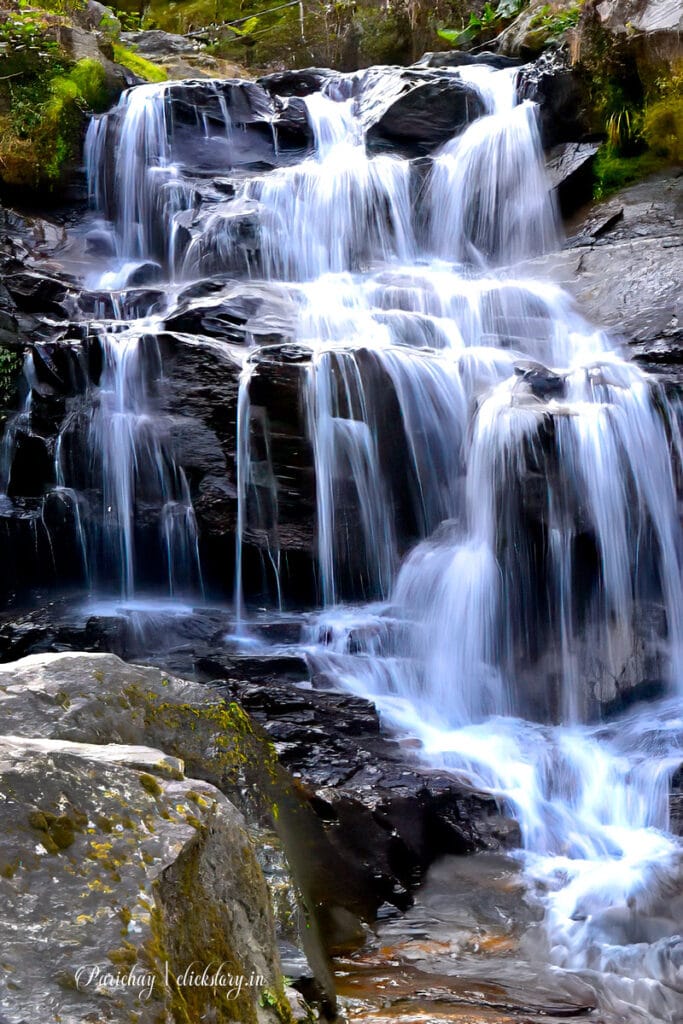
Best for: Waterfalls, rivers, and moving subjects where motion blur is desirable.
Example 3: Wildlife photography
You are photographing a moving bird in shaded conditions.
Your starting settings are:
f/5.6 · 1/250 sec · ISO 400
To freeze movement, increase the shutter speed to 1/1000 sec. This reduces the light captured by two stops.
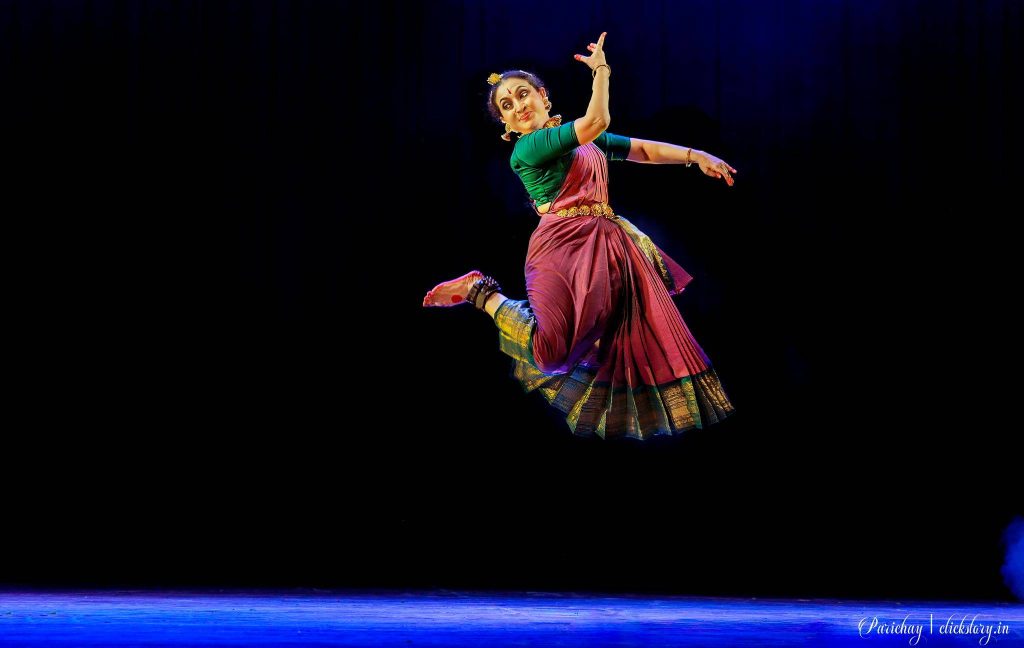
Increase ISO from 400 to 1600 to compensate for the loss of rendered brightness caused by the faster shutter speed.
| Setting | Combination A | Combination B |
|---|---|---|
| Aperture | f/5.6 | f/5.6 |
| Shutter speed | 1/250 sec | 1/1000 sec |
| ISO | 400 | 1600 |
| Brightness | Approximately equal | Approximately equal |
| Motion freezing | Less | More |
| Expected noise | Often lower | Often higher |
The faster shutter speed helps freeze the bird’s movement. The higher ISO restores approximately the same brightness, but may produce more visible noise.
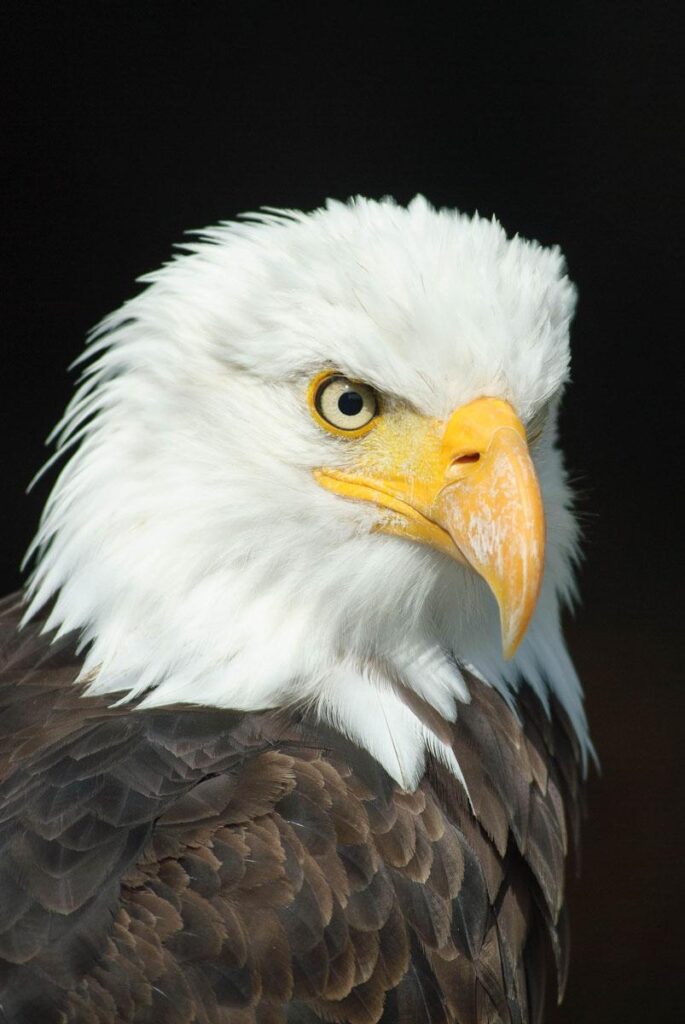
Best for: Wildlife, sports, and fast-moving subjects in limited light.
Equivalent Exposure Cheat Sheet
Assume your starting exposure is f/4, 1/250 sec, ISO 100.
The following combinations maintain approximately the same exposure while ISO remains fixed.
| Aperture | Shutter speed | ISO |
|---|---|---|
| f/2.8 | 1/500 sec | 100 |
| f/4 | 1/250 sec | 100 |
| f/5.6 | 1/125 sec | 100 |
| f/8 | 1/60 sec | 100 |
| f/11 | 1/30 sec | 100 |
| f/16 | 1/15 sec | 100 |
Shutter speeds are rounded to conventional camera values, so the equivalence is approximate.
5. Understanding One-Third-Stop Pairing
Many cameras allow aperture, shutter speed, and ISO to be adjusted in one-third-stop increments. This provides finer control than changing settings by full stops.
The key rule is:
If you change aperture by one-third of a stop, compensate with an opposite one-third-stop change in shutter speed to maintain approximately the same exposure, provided ISO remains unchanged.
Example: Closing the aperture
Suppose your starting settings are:
f/4 · 1/250 sec · ISO 100
You want slightly more depth of field, so you close the aperture from f/4 to f/4.5. This reduces the light entering the camera by approximately one-third of a stop.
To compensate, slow the shutter from 1/250 sec to 1/200 sec. The longer exposure time lets in approximately one-third of a stop more light.
The resulting settings are:
f/4.5 · 1/200 sec · ISO 100
The brightness remains approximately the same.
Correct third-stop pairing table
| Aperture | Shutter speed | Exposure relationship |
|---|---|---|
| f/4 | 1/250 sec | Starting point |
| f/4.5 | 1/200 sec | Approximately equivalent |
| f/5 | 1/160 sec | Approximately equivalent |
| f/5.6 | 1/125 sec | Approximately equivalent |
Each step closes the aperture and slows the shutter by approximately one-third of a stop.
What happens when you open the aperture?
The relationship works in reverse.
If you open the aperture from f/5.6 to f/5, you increase the light entering the camera by approximately one-third of a stop. To compensate, use a faster shutter speed, changing approximately from 1/125 sec to 1/160 sec.
This reduces the exposure time by approximately one-third of a stop.
Why are the shutter speeds not exact?
Camera settings use standardized, rounded values. Consequently, the actual exposure difference between adjacent displayed settings may be slightly different from exactly one-third of a stop.
The important point is the direction of the change:
- Close aperture: Use a slower shutter speed.
- Open aperture: Use a faster shutter speed.
One-third of a stop changes the amount of light by a factor of approximately 1.26, rather than doubling or halving it.
ISO can also be adjusted in one-third-stop increments. If aperture and shutter speed remain unchanged, increasing ISO by one-third of a stop increases rendered brightness by approximately one-third of a stop. To preserve brightness, you must compensate with a corresponding reduction in the light captured, or adjust another relevant exposure setting.
Does Equivalent Exposure Mean Identical Photographs?
No. Equivalent exposure primarily means maintaining approximately the same brightness. The photographs may still look different.
- Aperture: A wider aperture usually produces a shallower depth of field, while a narrower aperture generally keeps more of the scene in focus.
- Shutter speed: A faster shutter freezes movement, while a slower shutter can create motion blur.
- ISO: Higher ISO may increase visible noise and reduce highlight headroom, depending on the camera and conditions.
There are practical limits, too. Your lens may not open wide enough, your camera may not offer the required shutter speed, or the available light may force you to use a higher ISO than you would prefer.
Equivalent exposure helps you balance these trade-offs; it cannot eliminate them.
Using Equivalent Exposure in Different Camera Modes
There are various types of exposure modes available in present cameras. The following are the universal modes, though some more modes are also found in modern cameras.
Aperture Priority (A or Av)
You select the aperture, and the camera chooses a shutter speed based on its metering. Use this mode when depth of field is your main concern, such as when photographing portraits or landscapes.
Shutter Priority (S or Tv)
You select the shutter speed, and the camera chooses an aperture. Use this mode when controlling movement is important, such as when photographing wildlife, sports, or moving water.
Manual Mode (M)
You choose aperture, shutter speed, and ISO yourself. Manual mode is useful when you want consistent exposure across a series of photographs or need precise control over motion and depth of field.
In automatic modes, the camera’s response depends on its metering, ISO settings, and exposure compensation.
Practice Exercises
Test your understanding with these short problems.
Exercise 1: Portrait
Starting settings: f/4, 1/250 sec, ISO 100.
You open the aperture to f/2.8. What shutter speed maintains approximately the same exposure?
Solution: Opening the aperture adds one stop of light. Increase shutter speed to 1/500 sec.
Exercise 2: Landscape
Starting settings: f/5.6, 1/500 sec, ISO 100.
You close the aperture to f/11. What shutter speed should you use?
Solution: Closing the aperture reduces exposure by two stops. Slow the shutter to 1/125 sec.
Exercise 3: Wildlife
Starting settings: f/4, 1/250 sec, ISO 400.
You increase shutter speed to 1/1000 sec without changing aperture. What ISO maintains approximately the same brightness?
Solution: The faster shutter reduces the light captured by two stops. Increase ISO to 1600.
Exercise 4: Third-stop pairing
Starting settings: f/4, 1/250 sec, ISO 100.
You close the aperture to f/4.5. What shutter speed approximately maintains the same exposure?
Solution: Closing the aperture reduces exposure by approximately one-third of a stop. Slow the shutter to 1/200 sec.
Conclusion
Equivalent exposure allows you to use different combinations of aperture, shutter speed, and ISO to achieve approximately the same brightness while changing the creative characteristics of a photograph.
Instead of simply asking, “Which settings give me the correct exposure?” ask:
“Which combination of settings gives me the brightness and visual effect I want?”
Keep these principles in mind:
- Use aperture to influence depth of field.
- Use shutter speed to control motion.
- Use ISO to adjust rendered brightness while considering image quality.
- Balance changes in exposure stops to maintain approximately the same brightness.
- For one-third-stop pairing, close the aperture and slow the shutter, or open the aperture and speed up the shutter.
Practice these combinations with your camera, and equivalent exposure will become a natural part of your photography workflow.
