

AI portrait photography is becoming very popular. With the right AI portrait photography tips, you can create realistic faces, natural skin, emotional expressions, and professional lighting — even without a studio.
AI Portrait Photography: Why It Matters
AI portrait photography helps photographers and creators:
- Save time on photoshoots
- Create studio-quality portraits
- Experiment with styles
- Improve creativity
Example:
You can create a professional headshot for LinkedIn using AI without booking a photographer.
AI Portrait Lighting Styles (Most Important Tip)
Lighting makes or breaks a portrait. AI portrait lighting decides mood, depth, and realism.
Soft Lighting for AI Portrait Photography
Soft light creates natural and flattering portraits.

Example Prompt:
Portrait of a woman, soft window light, smooth shadows, natural photography style
Best for:
- Beauty portraits
- Lifestyle photos
- Social media profiles
Dramatic Lighting in AI Portrait Photography
Dramatic lighting adds emotion and depth.
Example Prompt:
Cinematic portrait of a man, dramatic side lighting, dark background, moody photography

Best for:
- Editorial portraits
- Storytelling images
Studio Lighting for AI Portrait Photography
Studio lighting looks professional and clean.
Example Prompt:
Professional studio portrait, softbox lighting, clean background, high-end photography
Best for:
- Corporate headshots
- Fashion photography
AI Skin Realism Tips for Natural Portraits
Unrealistic skin is the biggest AI problem. Follow these AI skin realism tips to avoid plastic-looking faces.
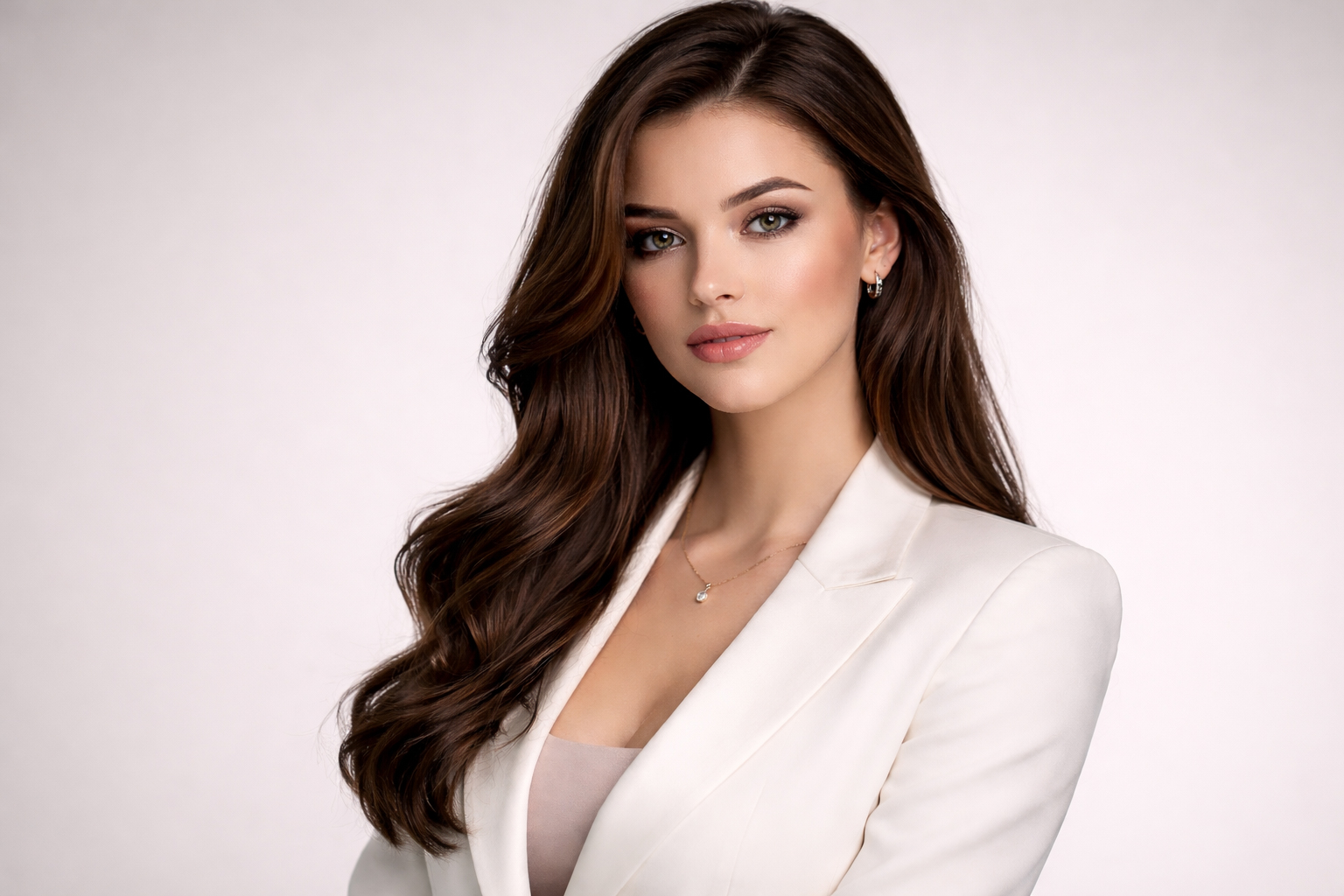
Use Natural Skin Texture
Always mention skin texture in prompts.
Bad Prompt: Perfect smooth skin
Good Prompt: Natural skin texture, realistic pores, soft details
Avoid Over-Editing in AI Portrait Photography
Too much perfection looks fake.
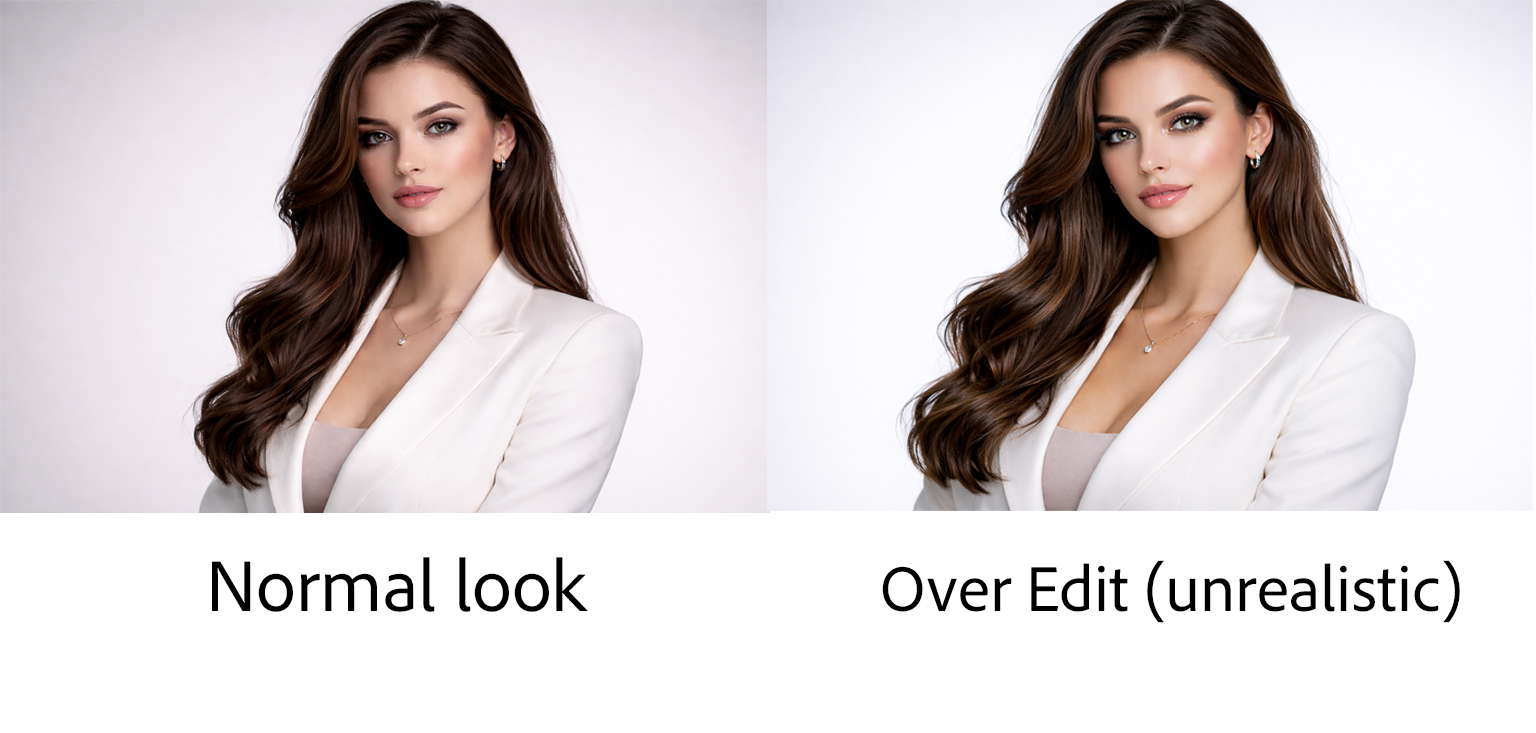
Example Prompt:
Realistic portrait, natural skin tones, minimal retouching, professional photography
Lighting Improves AI Skin Realism
Good lighting makes skin look real.
Example Prompt:
Soft natural light, even skin tones, realistic portrait photography
AI Facial Expressions and Emotions in Portraits
Emotion makes a portrait powerful. AI facial expressions should feel natural, not robotic.
Neutral Emotions in AI Portrait Photography
Neutral expressions are safe and realistic.
Example Prompt:
Calm expression, relaxed face, natural portrait photography
Happy and Smiling AI Portraits
Subtle smiles look more real.
Example Prompt:
Gentle smile, relaxed eyes, warm mood, realistic portrait
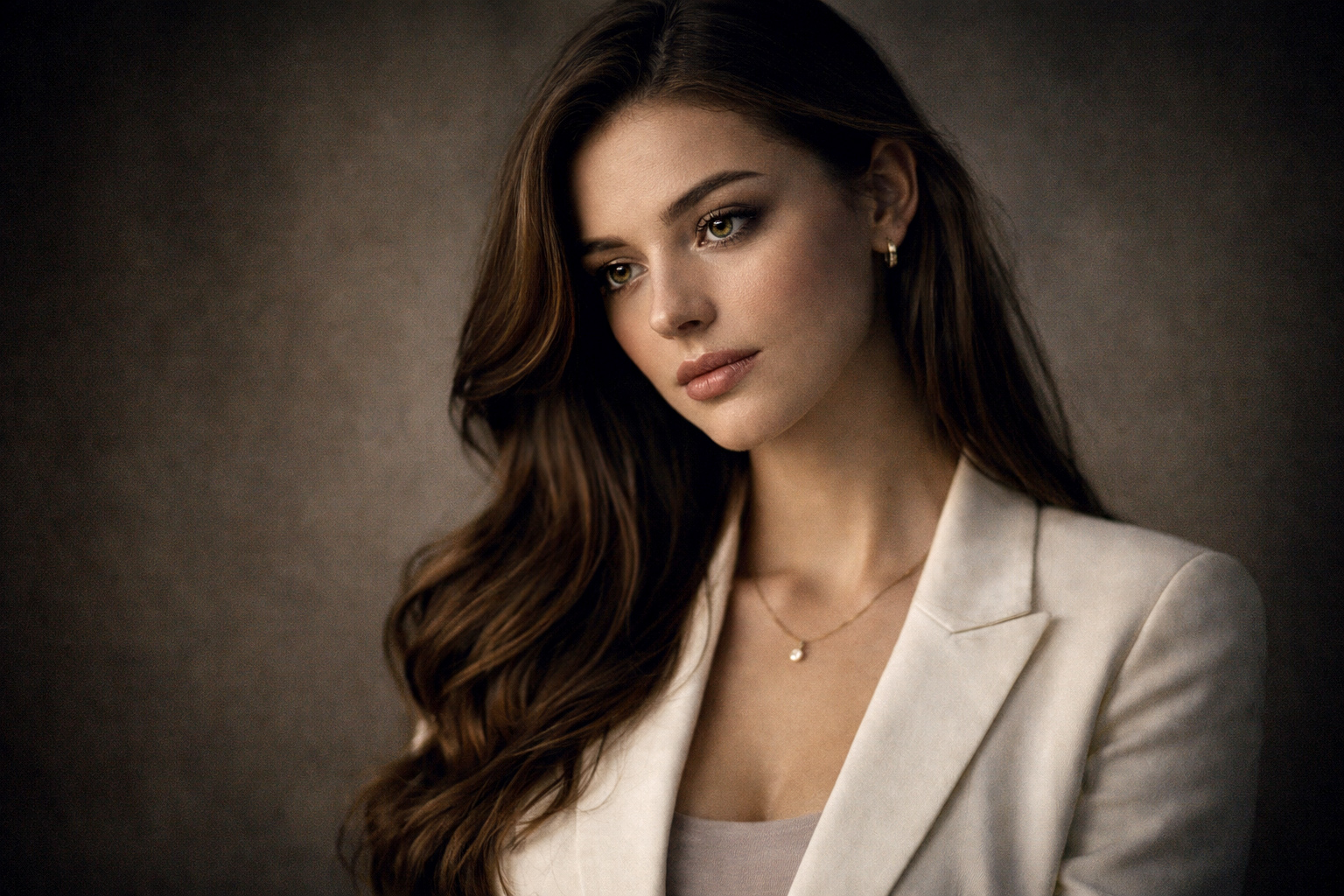
Emotional Storytelling in AI Portrait Photography
Strong emotions create impact.
Example Prompt:
Emotional portrait of a woman, thoughtful expression, soft lighting, cinematic photography
AI Portrait Prompt Packs (Pro Level)
These prompts are written to create realistic, emotional, and professional AI portraits.
Universal AI Portrait Prompt Formula
Use this for any AI tool:
Portrait of [person], [lighting style], natural skin texture, [emotion], professional photography, ultra-realistic
AI Portrait Prompts for Midjourney
(Best for cinematic & artistic portraits)
1. Cinematic Male Portrait
Cinematic portrait of a man, dramatic side lighting, natural skin texture with visible pores, serious expression, 85mm lens look, ultra-realistic photography
2. Emotional Female Portrait
Emotional portrait of a woman, soft window light, realistic skin tones, thoughtful expression, shallow depth of field, cinematic photography
3. Fashion-Style Portrait
High-fashion studio portrait, softbox lighting, clean background, natural skin texture, confident expression, magazine photography style
Midjourney Tip:
Use detailed lighting + lens words for best realism.
AI Portrait Prompts for DALL·E
(Best for realism & easy editing)
1. Natural Headshot Portrait
Realistic headshot of a professional woman, soft natural light, clean background, realistic skin texture, calm expression
2. Lifestyle Portrait
Lifestyle portrait of a young man sitting near a window, warm light, natural skin tones, relaxed smile, professional photography
3. Emotional Story Portrait
Realistic portrait of a woman looking out of a window, soft lighting, emotional expression, natural skin texture
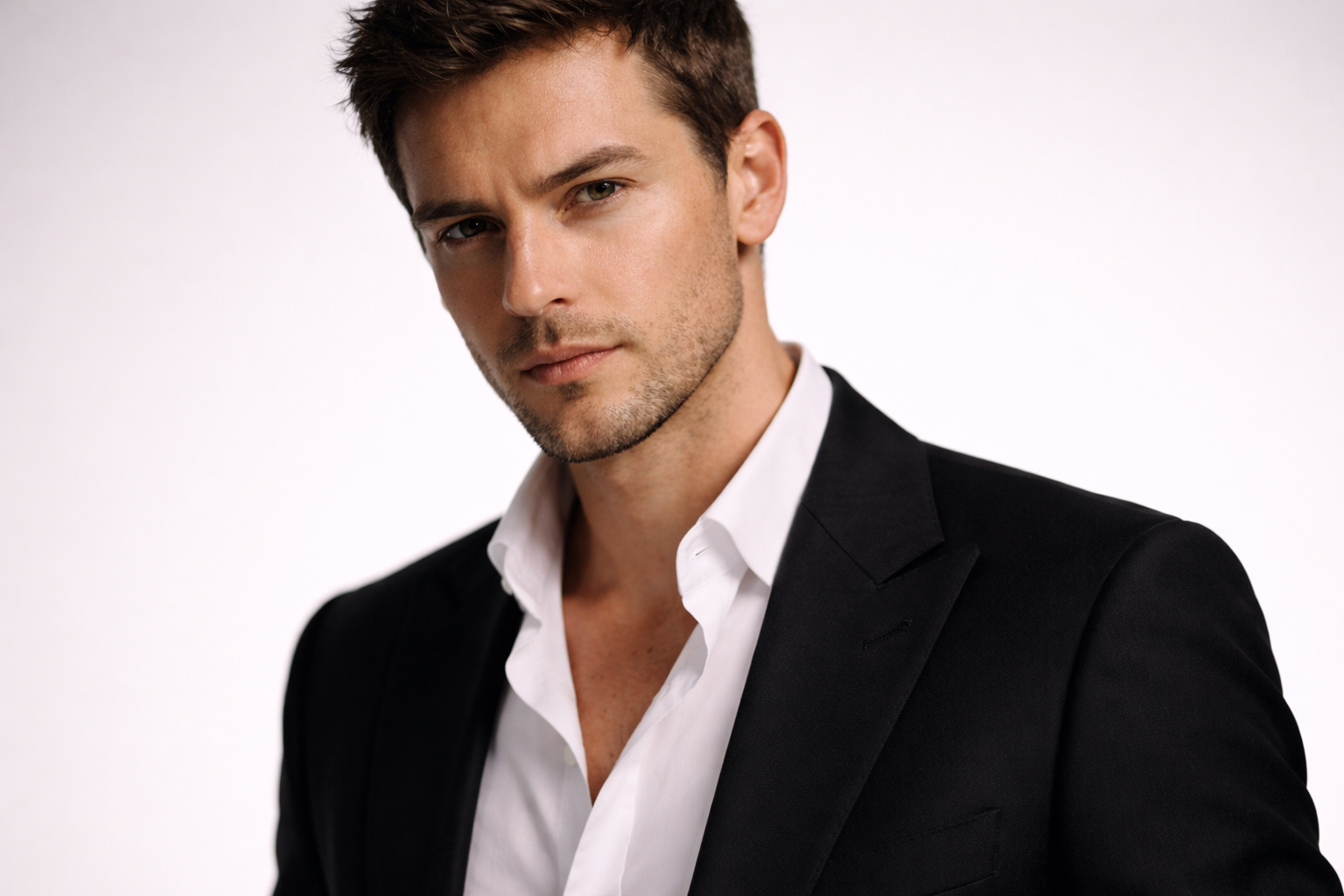
DALL·E Tip:
Keep prompts simple and direct.
AI Portrait Prompts for Nano Banana
(Best for fast & beginner-friendly results)
1. Clean Social Media Portrait
Bright portrait of a woman, natural daylight, smooth but realistic skin, friendly smile, professional photo
2. Blogger Profile Photo
Portrait of a man, soft lighting, simple background, natural skin tones, realistic photography
Nano Banana Tip:
Short prompts work better than long ones.
Photoshop AI (Generative Fill Portrait Prompts)
(Best for professional editing)
1. Background Replacement
Add a soft studio background with natural lighting
2. Skin Enhancement
Improve skin texture naturally without over-smoothing
3. Lighting Enhancement
Add soft side lighting for depth and realism
Photoshop AI Tip:
Use action-based prompts, not descriptions.
Best AI Portrait Prompt for Beginners
Portrait of a woman, soft natural light, realistic skin texture, calm expression, professional photography
This prompt works across Midjourney, DALL·E, and Nano Banana.

AI Portrait Photography Tips for Better Results
Use these simple AI photography tips:
- Focus on one subject
- Choose one lighting style
- Add emotion keywords
- Keep prompts clear and simple
Example Full Prompt:
Cinematic portrait of a young man, soft side lighting, natural skin texture, calm expression, ultra-realistic photography
Common Mistakes in AI Portrait Photography
Too Much Perfection
- Looks fake and unnatural.
No Lighting Direction
- Creates flat images.
Ignoring Emotions
- Makes portraits lifeless.
Best AI Portrait Photography Style for Beginners
Start with this safe formula:
Portrait + Soft Lighting + Natural Skin + Simple Emotion
Example:
Portrait of a woman, soft natural light, realistic skin texture, calm expression, professional photography
Conclusion
AI portrait photography is easy if you focus on lighting, skin realism, and emotions. With the right AI portrait photography tips, you can create portraits that look real, professional, and emotional.
Practice different styles, save good prompts, and keep improving.
Frequently Asked Questions (FAQ)
Q1. What is AI portrait photography?
AI portrait photography uses artificial intelligence to create or edit realistic human portraits.
Q2. How do I make AI portraits look realistic?
Use soft lighting, natural skin texture, and realistic facial expressions.
Q3. Which lighting is best for AI portraits?
Soft natural light and studio lighting work best for realistic AI portraits.
Can beginners create AI portraits?
Yes, beginners can create high-quality AI portraits using simple prompts and clear instructions.
Q4. How do I improve skin realism in AI portraits?
You can improve skin realism by mentioning realistic skin texture, visible pores, balanced lighting, and minimal retouching in your prompts.
Q5. How do I add emotions to AI portrait photography?
Add emotions by describing subtle expressions like calm, thoughtful, gentle smile, or serious mood. Small emotions look more natural than exaggerated ones.
Q6. Can beginners create good AI portrait photos?
Yes. Beginners can create high-quality AI portraits by using simple prompts, soft lighting, natural skin texture, and clear emotions.


Very beautiful and informative.